

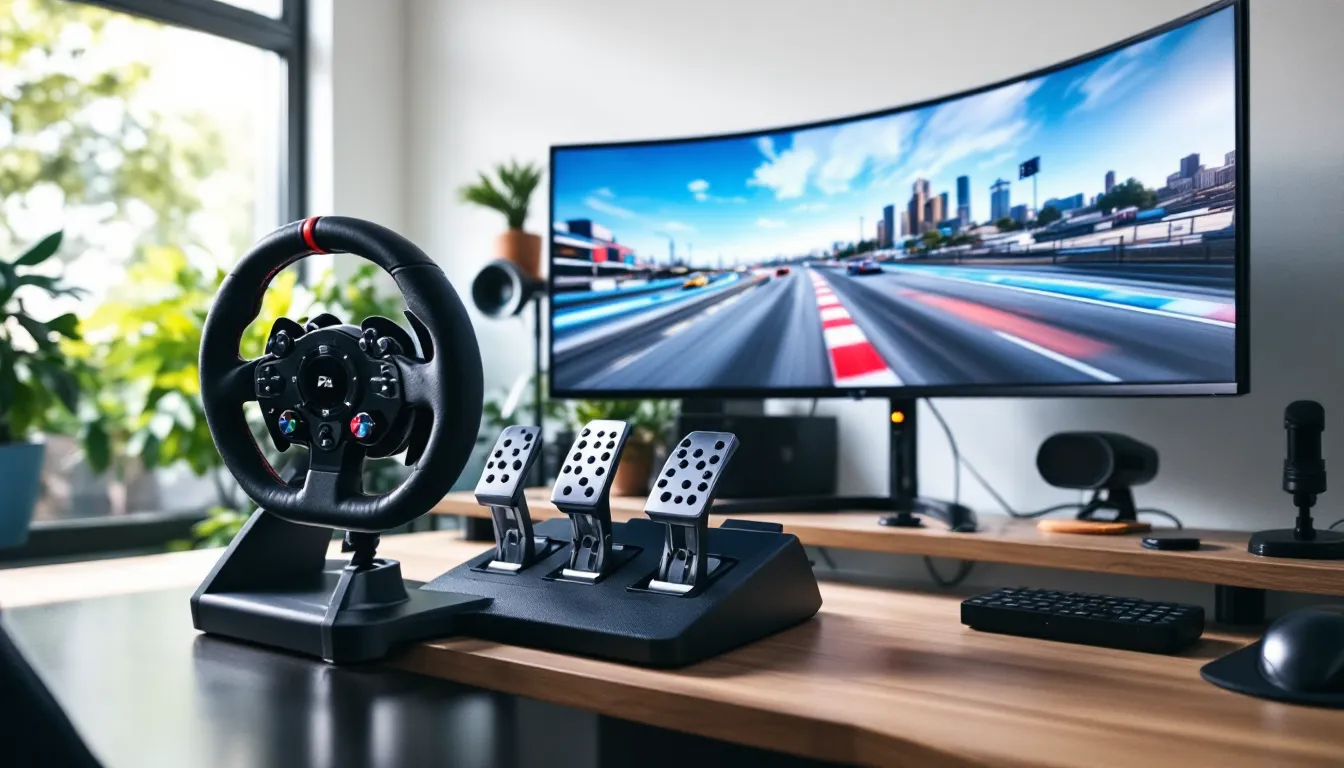
There’s a moment every racing game enthusiast experiences: that instant when you realize controllers just aren’t cutting it anymore. The lack of tactile feedback, the limited precision, the disconnect between what’s happening on screen and what’s in your hands. A gaming steering wheel changes everything.
Whether you’re chasing lap records in iRacing, drifting through Forza Horizon 6, or grinding through career mode in Gran Turismo 8, the right wheel transforms how you play. But the market in 2026 is packed with options ranging from $100 budget wheels to $2,000+ direct drive monsters. This guide cuts through the noise to help you find the setup that matches your skill level, budget, and platform.
Key Takeaways
- A gaming steering wheel delivers superior immersion and measurable competitive advantages through force feedback technology and precision steering inputs that controllers cannot match.
- Direct drive (DD) systems offer the highest performance but entry-level wheels like the Logitech G29 provide solid value for beginners testing whether wheel racing suits their commitment level.
- Force feedback quality depends on technology type—gear-driven wheels are budget-friendly but notchy, belt-driven systems offer smoothness, and direct drive delivers the most detailed feedback with zero latency.
- Pedal quality matters more than wheel base cost; investing in load cell brake pedals alongside a mid-range wheel outperforms bundling an expensive wheel with poor pedals.
- Platform compatibility requires research before buying—most wheels target specific ecosystems (PlayStation, Xbox, or PC), and true cross-platform options remain rare and expensive.
- Proper mounting on a dedicated stand or cockpit is essential; desk clamps flex under high-torque systems, degrading performance and potentially damaging equipment over time.
Why Invest in a Gaming Steering Wheel?
Dropping a few hundred dollars on a gaming wheel might seem excessive if you’ve never used one. But once you understand what you’re gaining, the investment makes a lot more sense.
The Immersion Factor: Beyond Controller Gaming
The jump from analog stick to wheel isn’t just about realism, it’s about feeling the game in a way controllers can’t deliver. Force feedback technology communicates road texture, understeer, and weight transfer directly through your hands. You’ll feel the difference between asphalt and gravel, sense when your tires are about to break traction, and react to bumps in real-time.
This tactile connection creates presence. Your brain stops translating button inputs and starts processing driving instincts. Threshold braking becomes muscle memory. Correcting oversteer feels natural instead of calculated. For simulation titles like Assetto Corsa Competizione and iRacing, this isn’t just nice to have, it’s the entire point.
Performance Advantages in Racing Simulations
Immersion is great, but wheels also deliver measurable competitive advantages in sim racing. Precision steering inputs become possible with 900° to 1080° rotation ranges, matching real-world steering ratios. You can modulate brake pressure with analog pedals instead of binary triggers.
In time trial leaderboards and online races, these advantages compound. Consistent lap times require smooth, repeatable inputs that controllers struggle to provide. Professional sim racers universally use wheels for a reason, the skill ceiling is simply higher. If you’re serious about climbing ranked ladders or competing in esports events for titles like F1 2026, a wheel isn’t optional equipment.
Key Features to Consider When Buying a Gaming Steering Wheel
Not all wheels are created equal, and the spec sheet matters more than brand hype. Here’s what actually affects your driving experience.
Force Feedback Technology: The Heart of Realistic Racing
Force feedback (FFB) is non-negotiable for serious racing. Two main technologies dominate the market in 2026:
- Gear-driven systems: Found in entry and mid-range wheels. Uses plastic or helical gears to create resistance. Cheaper but introduces notchy feedback and some dead zones. Examples include Logitech’s G29/G923 lineup.
- Belt-driven systems: Smoother operation with less noise. Offers better detail in FFB signals. Thrustmaster’s T300 and T248 models use this approach.
- Direct drive (DD) systems: The gold standard. Electric motors connect directly to the wheel base with no gears or belts. Delivers instant, detailed feedback with zero latency. Fanatec CSL DD and Moza R9 are popular 2026 options.
FFB strength is measured in Newton-meters (Nm). Entry wheels deliver 2-3 Nm, mid-range hits 4-6 Nm, and direct drive systems range from 5 Nm to 25+ Nm. More torque doesn’t always mean better, balance and detail matter more than raw power.
Wheel Rotation and Degrees of Movement
Rotation range determines how many times you can turn the wheel lock-to-lock. Most modern wheels offer:
- 270°: Too limited for realistic sim racing
- 900°: Standard for road cars, ideal for GT and touring car sims
- 1080°: Matches many real vehicles
- Variable rotation: Automatically adjusts based on the in-game car
Higher rotation counts require more desk space and arm movement but deliver authentic steering feel. Formula cars use less rotation (360-540°), while drift cars might need the full 900°.
Pedal Systems: Two vs. Three Pedal Configurations
Pedals are where budget wheels make their biggest compromises. Two-pedal sets (gas and brake) work fine for arcade racers but limit you in manual transmission sims. Three-pedal configurations add a clutch, enabling proper heel-toe downshifting and full manual control.
Key pedal factors:
- Load cell brakes: Measure pressure instead of distance, mimicking real brake feel. Game-changer for consistent braking points.
- Adjustable pedal faces: Let you customize spacing and angle
- Progressive springs: Provide realistic resistance curves
- Mounting options: Quality pedals need stable mounting or they’ll slide during heavy braking
Entry wheels bundle basic plastic pedals. Serious setups often upgrade pedals separately, a $200 load cell pedal set on a $400 wheel often outperforms a $600 all-in-one package.
Build Quality and Materials
Materials determine longevity and feel. Plastic wheels with rubber grips are standard under $300. Leather or Alcantara wraps appear on premium models, offering better grip and comfort during long sessions.
Wheel diameter matters too. Most gaming wheels range from 270mm to 320mm. Smaller diameters require less force to turn but feel less realistic. GT-style wheels typically measure 300mm, matching road car proportions.
Internal construction counts: metal quick-release systems, hall-effect sensors for pedals, and reinforced mounting clamps all extend lifespan. Check warranty terms, reputable manufacturers offer 2-3 years on major components.
Types of Gaming Steering Wheels
The wheel market segments clearly by price and technology. Understanding these tiers helps you avoid overspending or underbuying.
Entry-Level Wheels for Beginners
Price range: $150-$300
Entry wheels use gear-driven FFB and bundled two or three-pedal sets. They’re perfect for testing whether you’ll actually use a wheel before committing serious money. Popular 2026 models include:
- Logitech G29/G920: Industry standard beginner wheel. Gear-driven FFB feels notchy but reliable. 900° rotation, decent pedals, shifter sold separately. PlayStation/PC (G29) or Xbox/PC (G920) compatibility.
- Thrustmaster T128: Newer hybrid system with improved FFB smoothness over pure gear systems. Smaller ecosystem for upgrades.
- Hori Racing Wheel Apex: Budget option under $200, but limited FFB quality.
Limitations: Noisy operation, basic FFB detail, plastic construction, limited upgrade paths. But they’re compatible with major racing titles and platforms, making them solid starter choices.
Mid-Range Options for Serious Hobbyists
Price range: $400-$800
Mid-tier wheels upgrade to belt or hybrid-driven systems with noticeably smoother FFB. This segment offers the best value for dedicated enthusiasts who aren’t chasing esports podiums.
Top picks:
- Thrustmaster T300 RS GT: Belt-driven, 3.9 Nm FFB, swappable wheel rims, excellent pedal set. PlayStation/PC compatible.
- Thrustmaster TX Racing Wheel: Xbox/PC equivalent to T300 series
- Fanatec CSL Elite Racing Wheel: Modular ecosystem with extensive upgrade options. Better FFB resolution than Thrustmaster belt systems.
These setups handle everything from Forza Motorsport to Automobilista 2 with enough fidelity to develop real driving skills. They’re also quiet enough for apartment use and support load cell brake upgrades.
Professional-Grade Direct Drive Systems
Price range: $800-$3,000+
Direct drive eliminated the gap between consumer and professional sim racing equipment. These systems deliver instantaneous, detailed FFB that communicates every nuance of tire slip and road surface.
Notable 2026 direct drive options:
- Fanatec CSL DD (5-8 Nm): Entry DD pricing with Fanatec’s ecosystem. Huge community support.
- Moza R9 (9 Nm): Aggressive pricing with quality construction. Growing ecosystem.
- Simagic Alpha Mini (10 Nm): Excellent build quality, smooth operation
- Simucube 2 Sport/Pro (17-25 Nm): Top-tier professional equipment used in racing simulators and esports training
DD wheels require separate pedal purchases and wheel rim selection. Total cost for a complete DD setup typically runs $1,200-$2,500. The peripheral review landscape has expanded significantly in 2026, with professional testers now evaluating sub-$1,000 DD systems alongside traditional options.
Who needs DD? Anyone running competitive esports leagues, content creators building sim rigs, or serious hobbyists logging 10+ hours weekly. Casual players won’t extract the full value.
Platform Compatibility: PC, PlayStation, and Xbox
Platform lockouts remain frustrating in 2026. Understanding compatibility prevents expensive mistakes.
Cross-Platform Wheels vs. Dedicated Systems
Most wheels target specific ecosystems:
- PC-only: Direct drive bases from Moza, Simagic, and Simucube. Require Windows and USB connection. Maximum FFB detail and customization.
- PlayStation-licensed: Logitech G29, Thrustmaster T300/T248, Fanatec Gran Turismo DD. Work on PS4, PS5, and PC. Require Sony licensing fees, increasing cost.
- Xbox-licensed: Logitech G920, Thrustmaster TX/TS-XW, Fanatec CSL DD (Xbox version). Compatible with Xbox One, Series X
|
S, and PC.
True cross-platform wheels supporting PlayStation, Xbox, and PC exist but are rare and expensive. Fanatec’s Podium series and some Thrustmaster models use base units that accept different wheel rims for platform switching, but you’re buying multiple rims.
Console players face tougher choices. If you play on both PlayStation and Xbox, you’ll likely need separate wheels or stick to PC where compatibility issues vanish.
Driver Support and Software Configuration
PC offers the most control. Software like Thrustmaster Control Panel, Fanatec Wheel Properties, and SimHub let you customize:
- FFB strength and linearity curves
- Rotation limits per game
- Button mappings and LED displays
- Telemetry overlays
Console support is improving but limited. PS5 and Xbox Series X
|
S allow basic FFB adjustments in-game, but advanced tuning requires PC connection. Many competitive sim racers maintain detailed configuration databases showing exact FFB settings used by professional drivers for specific car and track combinations.
Driver updates matter more than you’d think. A firmware update can transform FFB feel, Thrustmaster’s 2025 firmware for the T300 improved FFB resolution noticeably. Check manufacturer support frequency before buying. Logitech is notorious for abandoning older models.
Setting Up Your Gaming Steering Wheel
Even the best wheel underperforms with poor mounting. Setup matters as much as hardware choice.
Mounting Solutions: Desk Clamps, Stands, and Cockpits
Wheel stability directly impacts performance. Three mounting approaches dominate:
Desk clamps: Included with most wheels. Quick setup but flex during aggressive inputs. Fine for entry wheels, problematic with high-torque DD systems. Requires 1.5-2.5 inches of desk overhang and solid surface, glass desks won’t work.
Wheel stands: Freestanding frames like the Wheel Stand Pro and Next Level Racing Wheel Stand. Fold for storage, provide rigid mounting, cost $150-$300. Good middle ground for apartment setups. Ensure pedal plate doesn’t slide on carpet or hardwood.
Sim racing cockpits: Full aluminum profile rigs from Sim-Lab, Trak Racer, and Advanced Sim Racing. Zero flex, adjustable seating position, accommodate monitor mounts and accessories. Cost $400-$1,500 but required for DD wheels over 10 Nm. Most use 40x40mm or 80x40mm aluminum extrusion for infinite configurability.
Seat choice affects comfort during long sessions. Bucket seats from real cars work but expensive. Sim racing seats ($200-$600) offer ergonomic support designed for stationary use. Office chairs are false economy, they roll and lack lateral support.
Calibration and Fine-Tuning Settings
Out-of-box settings are rarely optimal. Proper calibration involves:
- Full rotation calibration: Turn wheel fully lock-to-lock during initial setup so the game recognizes your maximum range
- Pedal dead zone adjustment: Eliminate unintended inputs from pedal resting positions
- FFB strength tuning: Start at 50% in-game and 80% in drivers, adjust until clipping is minimal (indicated by FFB meter staying below 100%)
- Steering linearity: Most sims default to 1:1 ratio, which is correct for wheels (controllers need curves)
Every game requires separate tuning. iRacing players spend hours tweaking FFB files. Assetto Corsa has gain, filter, and minimum force sliders. F1 2026 simplifies with presets but custom tuning still helps.
Many configuration tutorials now include game-specific profiles downloadable for popular wheel models, saving hours of trial-and-error adjustment.
Test on familiar tracks where you know the car’s behavior. If the wheel feels too heavy, reduce overall FFB. If you’re missing detail, lower damping and friction settings. Write down your settings, game updates often reset configurations.
Best Racing Games to Play with a Steering Wheel in 2026
Some games are built for wheels. Others tolerate them. Here’s where your hardware investment pays off.
Simulation Titles That Demand Precision
These games are unplayable at high levels without a wheel:
iRacing: The esports standard. Laser-scanned tracks, subscription model ($10-20/month), brutal learning curve. FFB is exceptional, tire model is hyper-realistic. Requires load cell brakes to be competitive in higher splits.
Assetto Corsa Competizione: GT3 and GT4 racing focus. Best-in-class weather simulation and night racing. Runs on Unreal Engine 4 with demanding graphics. FFB strikes perfect balance between detail and drivability.
Automobilista 2: Underrated gem using Madness engine. Diverse car selection from vintage to modern. Dynamic track conditions affect grip realistically. Excellent VR support.
rFactor 2: Professional-grade physics, used for driver training. Tire model is phenomenal but FFB requires extensive tuning. Modding community is massive.
BeamNG.drive: Soft-body physics simulation. Not traditional racing but incredible for understanding vehicle dynamics and crash physics. FFB communicates suspension loading brilliantly.
Richard Burns Rally: Still relevant in 2026 with mods. Rally simulation hasn’t been matched. Steep difficulty but incredibly rewarding with a wheel.
All these titles support telemetry output for motion rigs and wind simulators if you’re building a serious cockpit.
Arcade Racers That Benefit from Wheel Control
Not every wheel-compatible game needs ultra-realism:
Forza Horizon 6: Open-world arcade handling with wheel support that’s surprisingly good in 2026’s version. Not as precise as Motorsport but fun for casual cruising.
Forza Motorsport (2026 version): Turn 10’s simulation-focused entry. Improved tire model from previous versions, respects wheel inputs well. Great middle ground between hardcore sims and arcade racers.
Gran Turismo 8: PlayStation exclusive remains popular. Physics sit between arcade and sim. FFB is divisive, some love it, others find it vague compared to PC sims. Works well with Thrustmaster and Fanatec PS-compatible wheels.
F1 2026: Codemasters’ latest official F1 game. Handling model has simulated enough for wheel use to matter in ranked modes. Career mode is excellent with a wheel setup.
Need for Speed Unbound Turbo (2026 expansion): Actually supports wheels decently now, unlike older NFS titles. Still best on controller but drifting with a wheel is satisfying once you adapt.
Arcade racers require different FFB tuning, reduce strength and increase damping for smoother, less detailed feedback that matches the simplified physics.
Common Mistakes to Avoid When Choosing a Gaming Steering Wheel
New wheel buyers make predictable errors. Avoid these:
Buying for one game: Your tastes will evolve. Choose hardware that supports multiple titles and platforms rather than optimizing for your current favorite.
Ignoring ecosystem costs: A $400 Fanatec CSL DD sounds reasonable until you add a $200 wheel rim, $300 load cell pedals, $250 shifter, and $400 cockpit. Budget for the complete system, not just the base.
Skimping on pedals: Bad pedals ruin good wheels. If budget is tight, get mid-range pedals with an entry wheel rather than an expensive wheel with garbage pedals. You can always upgrade the wheel base later.
Desk mounting high-torque wheels: Anything over 5 Nm needs a dedicated stand or cockpit. Your desk will flex, screws will loosen, and the experience will suffer. Don’t cheap out on mounting.
Not checking return policies: Wheels feel different to different people. Amazon’s return window gives you time to test properly. Some specialty sim racing retailers charge restocking fees, read the fine print.
Ignoring noise levels: Gear-driven wheels are LOUD. If you’re in an apartment with thin walls or game at night near sleeping family, belt or DD systems are worth the premium for quiet operation.
Overlooking used markets: Direct drive depreciation is real. A one-year-old Fanatec CSL DD or Moza R9 often sells for 60-70% of retail in perfect condition. Check r/simracing marketplace and regional classifieds.
Platform lock-in without research: Buying an Xbox wheel when all your friends race on PlayStation means you can’t join their lobbies. Verify compatibility with your specific console generation and games before purchasing.
Upgrading Your Setup: Shifters, Handbrakes, and More
Once the wheel bug bites, these upgrades enhance specific racing disciplines:
H-pattern shifters: Essential for vintage car sims and rally games. Thrustmaster TH8A ($200) is the standard. Fanatec ClubSport Shifter ($300) offers better build quality. Both allow sequential mode switching.
Handbrakes: Rally and drift racing benefit enormously. Fanatec ClubSport Handbrake ($150) uses load cell technology. AXC Sim Handbrake ($120) is a budget alternative with USB connection.
Button boxes: Stream deckers and custom boxes add inputs for functions like ignition, pit limiters, and brake bias. SimRacing Machines and Derek Speare Designs make popular models ($100-$400).
Load cell pedals: If your wheel came with potentiometer pedals, this is upgrade number one. Thrustmaster T-LCM ($200) is entry-level. Fanatec CSL LC ($350) is excellent mid-range. Heusinkveld Sim Pedals Sprint ($1,000) are enthusiast-tier.
Motion platforms: Next-level immersion. Next Level Motion Platform V3 ($2,000) adds pitch, roll, and heave. Professional systems from D-Box and SimXperience run $5,000-$20,000. Diminishing returns hit hard here, invest in wheel, pedals, and cockpit first.
VR headsets: Meta Quest 3 ($500) and Valve Index ($1,000) transform spatial awareness. Seeing apex points in 3D space improves racecraft dramatically. Requires powerful GPU, RTX 4070 minimum for modern sims at decent settings.
Wind simulators: SimRacingStudio SRS Wind Fan ($150) adds airflow correlated to speed. Gimmicky but surprisingly effective for sustained immersion.
Tactile transducers (bass shakers): Mount under seat or pedal plate. Dayton Audio Puck ($50 each) vibrate with engine RPM, gear shifts, and rumble strips. Run through SimHub software with game telemetry. Four pucks plus a small amplifier costs around $300 and adds major immersion.
Upgrade priority order: load cell pedals → dedicated cockpit → shifter/handbrake → VR → everything else. Accessories don’t improve laptimes like good pedals and stable mounting.
Conclusion
Choosing a gaming steering wheel in 2026 comes down to matching hardware to your commitment level. Casual players testing the waters should grab a G29 or T128 and see if the hobby sticks. Enthusiasts logging serious hours will appreciate mid-range belt systems or entry direct drive. Competitive sim racers and content creators benefit from high-torque DD systems with quality peripherals.
Don’t overthink it, the best wheel is the one you’ll actually mount and use. Start with what fits your budget, learn proper technique, and upgrade components as skills develop. The gap from controller to any wheel is enormous. The gap from entry wheel to professional DD matters less than practice and setup time.
Mount it properly, tune it carefully, and you’ll never look at racing games the same way.