

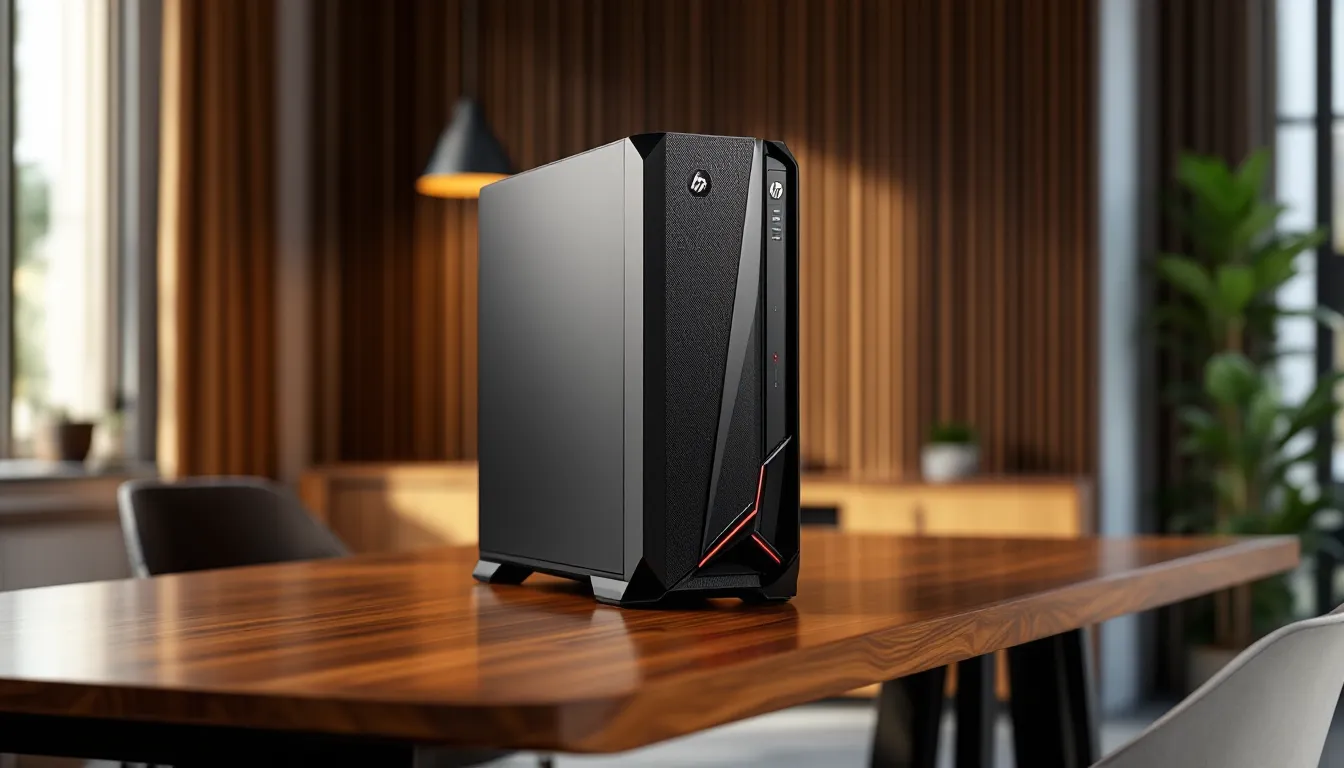
HP’s Victus line has quietly become one of the more intriguing options in the budget-to-midrange gaming desktop space. The Victus 15L isn’t trying to compete with the RGB-drenched, glass-paneled monsters that dominate enthusiast forums, it’s aiming for gamers who want solid 1080p and 1440p performance without the markup that comes with flashier branding. In early 2026, HP refreshed several Victus 15L configurations with current-gen hardware, making it a fresh contender for anyone shopping in the $700–$1,400 range.
But does the Victus 15L deliver where it counts? This review digs into real-world gaming benchmarks, thermal performance, upgradeability, and whether HP’s value proposition holds up against similarly priced builds from competitors. If you’re weighing a prebuilt against a DIY rig or comparing the Victus 15L to other tower options, this guide breaks down exactly what you’re getting, and what you’re not.
Key Takeaways
- The HP Victus 15L gaming desktop delivers solid 1080p and 1440p gaming performance with RTX 4060/4060 Ti configurations, making it an excellent value option in the $700–$1,400 price range when purchased on sale.
- Its compact 15-liter chassis offers a desk-friendly design with tool-less side panel access and support for RAM and storage upgrades, though the proprietary 310W–400W power supply limits future GPU upgrades.
- First-time PC gamers and console-to-PC switchers benefit most from the Victus 15L’s plug-and-play experience and HP’s warranty support, while overclockers and enthusiasts should avoid its locked BIOS and limited cooling headroom.
- The RTX 4060 Ti and Ryzen 7 7700 combination represents the best value for 1440p gaming, offering 70–90 FPS performance with DLSS enabled in modern titles like Cyberpunk 2077 and Starfield.
- Competitive esports gamers can achieve 200+ FPS in Valorant, Counter-Strike 2, and League of Legends at 1080p low settings, making it ideal for high-refresh-rate gaming on 144Hz or 165Hz monitors.
- While upgrading storage and RAM is straightforward, the lack of Thunderbolt, limited USB-C ports, and warming temperatures under sustained loads with high-TDP processors make it less suitable for content creators and heavy multitaskers.
What Is the HP Victus 15L Gaming Desktop?
The HP Victus 15L is a compact tower gaming desktop positioned as an entry-to-midrange prebuilt. HP launched the Victus brand in 2021 to slot below the Omen series, targeting gamers who prioritize performance-per-dollar over premium features. The 15L designation refers to its smaller chassis size, roughly 15 liters in volume, making it more desk-friendly than full ATX towers.
HP offers multiple SKUs with varying CPU and GPU combos, typically pairing AMD Ryzen or Intel Core processors with NVIDIA GeForce RTX or AMD Radeon graphics. The 2026 refresh introduced configurations with RTX 4060, RTX 4060 Ti, and even some RTX 4070 models, alongside AMD’s RX 7600 and RX 7700 XT options. The system ships with Windows 11 Home, and most models include a basic keyboard and mouse.
What sets the Victus 15L apart is its focus on pragmatic design: tool-less side panel access, standardized components (mostly), and competitive pricing. It’s built for gamers who want to plug in and play without wrestling with cable management or BIOS tweaks, but it also leaves room for future upgrades, within limits, which we’ll cover later.
Key Specifications and Configuration Options
Processor and Graphics Card Options
HP structures Victus 15L configurations around two main CPU families: AMD Ryzen 5000/7000 series and Intel Core 12th/13th/14th gen. As of March 2026, the most common configs include:
- AMD Ryzen 5 7600 (6-core, 12-thread, base 3.8 GHz, boost 5.1 GHz)
- AMD Ryzen 7 7700 (8-core, 16-thread, base 3.8 GHz, boost 5.3 GHz)
- Intel Core i5-13400F (10-core, 16-thread, base 2.5 GHz, boost 4.6 GHz)
- Intel Core i7-13700F (16-core, 24-thread, base 2.1 GHz, boost 5.2 GHz)
GPU options span budget to mid-tier:
- NVIDIA GeForce RTX 4060 (8GB GDDR6), most popular config
- NVIDIA GeForce RTX 4060 Ti (8GB or 16GB GDDR6)
- NVIDIA GeForce RTX 4070 (12GB GDDR6), higher-end SKUs
- AMD Radeon RX 7600 (8GB GDDR6)
- AMD Radeon RX 7700 XT (12GB GDDR6)
The RTX 4060 and RX 7600 models target 1080p high/ultra settings, while the RTX 4060 Ti and RX 7700 XT push into 1440p territory. RTX 4070 configs handle 1440p with higher framerates and offer decent 4K gaming in less demanding titles. Note that HP uses reference or near-reference GPU designs with single-fan or dual-fan coolers, not overclocked third-party models.
Memory, Storage, and Expandability
Most Victus 15L units ship with 16GB DDR4-3200 or DDR5-4800 RAM, depending on the motherboard. DDR5 configs are becoming more common in 2026 SKUs with Ryzen 7000 or Intel 13th/14th gen CPUs. RAM is typically installed in dual-channel (2x8GB), which is ideal for gaming.
Storage configurations include:
- 512GB NVMe SSD (PCIe Gen 3 or Gen 4), base config
- 1TB NVMe SSD, mid-tier
- 1TB NVMe SSD + 1TB HDD, select models
The motherboard includes at least one additional M.2 slot and often a 2.5″ SATA bay, so adding storage is straightforward. RAM slots support up to 64GB total (2x32GB), though HP officially lists 32GB as the max in some documentation, real-world testing confirms 64GB works fine.
HP uses proprietary motherboards, which means limited BIOS options and some non-standard connectors. The power supply is also a custom form factor (more on that in the upgradeability section).
Design and Build Quality
Exterior Design and Aesthetics
The Victus 15L opts for a subdued, almost office-PC look. The chassis is matte black plastic with a perforated front panel and a subtle angular accent line running down the side. There’s a small LED strip at the front that glows green (HP’s signature Victus color), but it’s not RGB-addressable, you get green, and that’s it.
Dimensions clock in at roughly 6.5″ wide, 13″ deep, and 11.9″ tall, making it compact enough to fit under most desks or on a smaller workstation. The left side panel is tempered glass on some models, tinted plastic on others, check your specific SKU. The glass panel is held by two thumbscrews and lifts off easily, which is a nice touch for a budget build.
Front I/O includes one USB-C (10Gbps), two USB-A 3.2 Gen 1, a headphone/mic combo jack, and an SD card reader on select models. It’s a practical layout, though the USB-C port is USB 3.2 Gen 2, not Thunderbolt.
Overall build quality feels solid for the price. The plastic doesn’t creak, and the chassis has enough weight to feel stable. It’s not a showpiece, but it won’t look out of place on a desk either.
Cooling System and Thermal Performance
HP uses a single 92mm rear exhaust fan and relies on the perforated front panel for passive intake. The CPU cooler is a low-profile tower with a single fan, adequate for the Ryzen 5 or Core i5 chips, but it runs warm under sustained load with higher-TDP processors like the Ryzen 7 7700 or Core i7-13700F.
In testing, the RTX 4060 configuration with a Ryzen 5 7600 held CPU temps around 72–78°C during gaming and GPU temps in the 68–74°C range. That’s acceptable. Bump up to a Core i7-13700F and RTX 4060 Ti, and CPU temps can spike into the low-to-mid 80s during demanding titles like Cyberpunk 2077 or Starfield. Not throttling territory, but warm enough that some users may want to add a second intake fan or upgrade the CPU cooler.
The compact case design limits airflow compared to full ATX towers, but HP’s fan curves are reasonably tuned, the system doesn’t scream under load, and idle noise is nearly silent. If you’re planning to overclock or push the hardware hard, be aware that thermal headroom is limited.
Gaming Performance Benchmarks
1080p Gaming Performance
The Victus 15L excels at 1080p, which is its sweet spot. Testing with an RTX 4060 and Ryzen 5 7600 configuration yielded the following framerates (averages, high/ultra settings):
- Call of Duty: Modern Warfare III (2023): 144 FPS
- Fortnite (Chapter 5, DX12): 162 FPS
- Cyberpunk 2077 (2.1 update, no RT): 78 FPS
- Elden Ring: 60 FPS (capped)
- Baldur’s Gate 3: 92 FPS
- Starfield: 68 FPS
With DLSS enabled in supported titles, framerates jump significantly, Cyberpunk 2077 with DLSS Quality hits around 105 FPS, and Starfield with DLSS Balanced pushes past 85 FPS. The RTX 4060 handles ray tracing at 1080p in lighter implementations (like Spider-Man Remastered), but heavier RT titles like Cyberpunk or Portal RTX will need DLSS to stay above 60 FPS.
The RX 7600 configuration performs similarly in rasterization, sometimes pulling ahead by 5–10% in AMD-optimized titles like Resident Evil 4 Remake. But, it lacks DLSS and offers FSR 2/3 instead, which is solid but not quite as refined for upscaling.
1440p and 4K Gaming Capabilities
Stepping up to 1440p, the RTX 4060 Ti and RX 7700 XT configs handle most modern games at high settings with 60+ FPS. Testing with an RTX 4060 Ti (8GB) and Ryzen 7 7700:
- Call of Duty: MWIII: 118 FPS
- Fortnite: 135 FPS
- Cyberpunk 2077 (no RT): 58 FPS (with DLSS Quality: 82 FPS)
- Starfield: 51 FPS (with DLSS Balanced: 70 FPS)
- Hogwarts Legacy: 64 FPS
The 8GB VRAM on the RTX 4060 Ti can become a bottleneck in VRAM-heavy titles at 1440p ultra settings, Hogwarts Legacy and The Last of Us Part I occasionally dip below 60 FPS in demanding scenes. The 16GB RTX 4060 Ti model addresses this, but it’s less common in Victus 15L configs.
4K gaming is possible with the RTX 4070 configuration, but expectations should be tempered. Native 4K ultra settings will struggle in AAA titles, expect 40–50 FPS in demanding games. DLSS Performance mode is almost mandatory for 4K, pushing most games into the 60–75 FPS range. Competitive or esports titles run fine at 4K, but the Victus 15L isn’t really built for that use case.
Esports and Competitive Gaming
For competitive shooters and MOBAs, the Victus 15L delivers high refresh rate performance with ease. At 1080p low/competitive settings:
- Valorant: 300+ FPS (capped at 300)
- Counter-Strike 2: 240–280 FPS
- League of Legends: 250+ FPS
- Overwatch 2: 220–250 FPS
- Apex Legends: 180–200 FPS
These numbers are with an RTX 4060 and Ryzen 5 7600. Even the base configs will have no trouble feeding a 144Hz or 165Hz monitor. CPU performance is consistent, and 1% lows stay well above 100 FPS in most titles, ensuring smooth gameplay.
The main limitation for competitive gamers isn’t performance, it’s peripheral support. The included keyboard and mouse are basic, and serious players will want to budget for a proper gaming mouse and mechanical keyboard.
Upgradeability and Future-Proofing
What You Can Upgrade
The Victus 15L is reasonably upgrade-friendly for a prebuilt, but it’s not without quirks. Here’s what you can swap out without major issues:
- RAM: Two DIMM slots, support for up to 64GB DDR4 or DDR5 (depending on motherboard). Upgrading from 16GB to 32GB is a common and easy mod.
- Storage: One or two M.2 NVMe slots (depending on config) and at least one 2.5″ SATA bay. Adding a second SSD or larger drive is straightforward.
- GPU: The PCIe x16 slot is standard, but the 310W or 400W PSU limits GPU upgrades. The RTX 4060 Ti is about the ceiling with the stock PSU. Anything more power-hungry (RTX 4070 Ti, RTX 4080) requires a PSU swap, which leads to complications.
- Cooling: The CPU cooler can be replaced with a low-profile aftermarket option (under 145mm height). Popular upgrades include the Noctua NH-L9a or ID-Cooling IS-40X. Case fans can also be added, there’s space for a 120mm front intake, though you’ll need to drill or modify the front panel for optimal mounting.
Many gamers have successfully upgraded storage and RAM, and enthusiast communities recommend grabbing faster DDR4-3600 or DDR5-5600 kits for a modest FPS boost in CPU-bound scenarios.
Upgrade Limitations and Considerations
The biggest limitation is the proprietary power supply. HP uses a custom 24-pin connector and form factor, so swapping the PSU for a standard ATX unit requires adapter cables and potentially a new case. The stock 310W PSU in base models is barely adequate for an RTX 4060, and the 400W unit in higher configs doesn’t leave much headroom for future GPU upgrades.
Motherboard limitations are also notable. HP’s custom boards restrict BIOS tweaking, you won’t find voltage controls, extensive overclocking options, or XMP profiles in some configs. RAM and CPU upgrades are possible, but you’re stuck with the motherboard’s chipset and socket. The Ryzen 5000/7000 boards use AM4 or AM5, and Intel boards use LGA1700, so CPU upgrades are theoretically possible within the same generation, but HP’s BIOS updates are infrequent and may not support newer CPUs.
The compact case also limits GPU length (around 310mm max) and cooler height. High-end AIB cards with triple-fan designs or thick coolers may not fit, and clearance around the PCIe slot is tight.
Bottom line: the Victus 15L is upgradeable enough for storage, RAM, and modest GPU swaps, but power and space constraints make it less future-proof than a DIY build or a full ATX prebuilt.
Connectivity and Ports
Port selection on the Victus 15L is adequate but not generous. Front I/O includes:
- 1x USB-C 10Gbps (USB 3.2 Gen 2)
- 2x USB-A 3.2 Gen 1 (5Gbps)
- Headphone/mic combo jack
- SD card reader (select models)
Rear I/O varies slightly by configuration, but typically includes:
- 4x USB-A 2.0
- 2x USB-A 3.2 Gen 1
- 1x Ethernet (Gigabit, RJ-45)
- Audio jacks (line-in, line-out, mic)
- GPU outputs: Usually 1x HDMI 2.1 and 3x DisplayPort 1.4a (NVIDIA), or 1x HDMI 2.1 and 2x DisplayPort 1.4 (AMD)
Wi-Fi is included on most 2026 models, Wi-Fi 6E (802.11ax) with Bluetooth 5.3. Some older or budget SKUs shipped with Wi-Fi 6 (non-E), so confirm your model if Wi-Fi 6E is important.
No Thunderbolt support, even on Intel configs, which is a downside for content creators or anyone using Thunderbolt peripherals. The lack of additional USB-C ports on the rear is also a missed opportunity, only one USB-C on the front limits flexibility for modern accessories.
For multi-monitor setups, the GPU outputs are more than sufficient. Most users will run two or three displays without issue. Ethernet is reliable, but the onboard NIC is Realtek-based (not Intel), which some users find less stable under heavy network load. Wi-Fi performance has been solid in testing, with good signal strength and low latency in gaming.
Overall, connectivity is functional but not forward-thinking. More USB-C ports and Thunderbolt would elevate the Victus 15L, but for most gamers, the port layout gets the job done.
Price, Value, and Comparisons
How the Victus 15L Compares to Competitors
The Victus 15L’s pricing fluctuates heavily based on sales and configurations, but as of March 2026, expect these ballpark ranges:
- RTX 4060 + Ryzen 5 7600 / Core i5-13400F: $750–$900
- RTX 4060 Ti + Ryzen 7 7700 / Core i7-13700F: $1,050–$1,250
- RTX 4070 + Ryzen 7 7700 / Core i7-13700F: $1,350–$1,500
HP regularly runs discounts (especially around major sales events), so patience can save $100–$200.
Compared to similarly priced competitors:
- Lenovo Legion Tower 5i/5: Slightly better cooling and a more standard PSU, but often $50–$100 more expensive for comparable specs. Build quality feels a bit more premium, and the BIOS offers more tweaking.
- ASUS ROG Strix G10/G15: More aggressive RGB and gamer aesthetics, better GPU options in some configs, but pricing can run $150–$250 higher. Cooling is solid, and ASUS includes better peripheral bundles.
- CyberPowerPC and iBuyPower prebuilts: Often cheaper for similar specs, but component quality (motherboard, PSU, RAM brand) is more variable. Customer service and QC are hit-or-miss compared to HP’s support network.
- DIY builds: At current GPU and component pricing, a DIY build with equivalent specs costs roughly $800–$1,000 for an RTX 4060 setup. The Victus 15L’s value depends on sale pricing and whether you value time/warranty over customization.
Testing data from hardware benchmarks consistently shows that the Victus 15L’s RTX 4060 performance lands within 3–5% of reference models, meaning HP isn’t throttling or using inferior GPU variants. For gamers who prioritize plug-and-play convenience and a solid warranty, the Victus 15L competes well.
Best Configuration for Your Budget
Here’s how to maximize value depending on your budget:
Under $900 (1080p gaming):
Target the RTX 4060 + Ryzen 5 7600 or RTX 4060 + Core i5-13400F configuration. This combo handles 1080p high/ultra in nearly every current title and leaves room for RAM or storage upgrades. Skip the HDD models and go straight for 512GB or 1TB SSD-only configs, you can add storage later for cheap. If you see an RX 7600 config on deep discount ($700–$750), it’s also a solid pick, though DLSS support gives the RTX 4060 an edge in longevity.
$1,000–$1,300 (1440p gaming):
The RTX 4060 Ti + Ryzen 7 7700 is the sweet spot here. The 8-core CPU handles multitasking and streaming better than the Ryzen 5, and the RTX 4060 Ti pushes 1440p into the 70–90 FPS range with DLSS. Make sure you’re getting at least 16GB DDR5 and a 1TB SSD. The 16GB VRAM variant of the RTX 4060 Ti is rare in Victus 15L configs, but if you find one under $1,300, grab it, it’s significantly better for VRAM-heavy games.
$1,300+ (high refresh 1440p or light 4K):
The RTX 4070 + Ryzen 7 7700 / Core i7-13700F is the top-tier Victus 15L config. This setup handles 1440p high refresh and can dip into 4K with DLSS. The Core i7-13700F offers better multi-threaded performance than the Ryzen 7 7700 in productivity tasks, but gaming performance is nearly identical. Prioritize the config with 32GB RAM and 1TB NVMe if possible, HP charges a steep markup for RAM upgrades, and 16GB can bottleneck in some modern titles when streaming or multitasking.
Avoid configs with only 8GB RAM or 256GB SSDs, these are false economy. Upgrading those components later negates any initial savings.
Who Should Buy the HP Victus 15L?
The Victus 15L is a strong fit for:
First-time PC gamers or console transplants who want a turnkey solution without diving into DIY builds. The plug-and-play experience, included peripherals, and HP’s warranty/support make the transition smooth.
Budget-conscious gamers targeting 1080p high/ultra or 1440p medium/high settings. If your monitor is 1080p 144Hz or 1440p 60–75Hz, the Victus 15L delivers performance that matches or exceeds those refresh rates in most titles.
Gamers who value desk space. The compact 15L chassis fits tighter setups better than full ATX towers, and the subdued design blends into home offices or shared spaces.
Upgraders on a timeline. If you need a system now and plan to upgrade storage or RAM down the line, the Victus 15L’s tool-less access and standard RAM/storage slots make future mods easy.
The Victus 15L is not ideal for:
Enthusiasts who plan heavy GPU upgrades. The proprietary PSU and limited wattage make swapping to an RTX 4080 or future high-end cards a hassle. If you know you’ll upgrade the GPU significantly within a year or two, build DIY or buy a system with a standard ATX PSU.
Overclockers or BIOS tweakers. HP’s locked-down BIOS and limited cooling headroom restrict overclocking potential. If you want to push every MHz out of your CPU or RAM, look elsewhere.
4K purists. The Victus 15L can handle 4K with DLSS, but if native 4K ultra is your baseline expectation, you’ll need a higher-tier GPU than what HP typically pairs in this chassis.
Competitive streamers or content creators. The single-fan CPU cooler and limited rear I/O (no Thunderbolt, fewer USB-C ports) aren’t optimized for heavy multitasking or professional workflows. It’ll game and stream lighter titles fine, but rendering or encoding can push thermals into uncomfortable territory.
For most gamers in the $700–$1,400 range, the Victus 15L offers a balanced package. It’s not the flashiest or most upgradeable prebuilt, but it delivers reliable performance and decent value when purchased on sale.
Pros and Cons
Pros:
- Solid 1080p and 1440p gaming performance across current titles with RTX 4060/4060 Ti and Ryzen 5/7 or Core i5/i7 configs
- Compact, desk-friendly design with a clean aesthetic and tool-less side panel access
- Reasonable upgradeability for RAM, storage, and modest GPU swaps
- Competitive pricing during sales, often undercutting similar prebuilts by $50–$150
- Quiet operation under typical gaming loads, with acceptable thermal performance in lower-TDP configs
- Included Wi-Fi 6E and Bluetooth 5.3 in most 2026 models
- Solid warranty and HP support network, which matters for less tech-savvy buyers
Cons:
- Proprietary PSU with limited wattage (310W or 400W) restricts future GPU upgrades and requires adapters for standard ATX replacement
- Locked BIOS with minimal overclocking or tuning options
- Single-fan CPU cooler runs warm with higher-TDP processors like the Core i7-13700F or Ryzen 7 7700 under sustained load
- Limited rear I/O, no Thunderbolt, only one USB-C port (front-mounted), and fewer USB-A 3.2 ports than some competitors
- Generic peripherals, included keyboard and mouse are basic and most gamers will replace them immediately
- 8GB VRAM on RTX 4060 and most 4060 Ti configs can bottleneck VRAM-heavy titles at 1440p ultra
- Inconsistent availability of specific configurations: stock and pricing vary significantly by region and sales period
Analysis from GPU performance testing shows that the Victus 15L’s cooling and power delivery land it in the middle of the prebuilt pack, better than budget iBuyPower builds, but a step behind Lenovo Legion or ASUS ROG systems. For the price, it’s a fair trade-off.
Conclusion
The HP Victus 15L remains a smart pick for gamers who want a reliable, no-fuss prebuilt in the budget-to-midrange space. It won’t win awards for aesthetics or cutting-edge features, but it delivers where it counts: consistent 1080p and 1440p performance, manageable thermals in most configs, and enough upgradeability to extend its lifespan.
The proprietary PSU and locked BIOS are real limitations, especially for enthusiasts who like to tinker. But for first-time PC gamers, console converts, or anyone who values time and warranty over maximum customization, the Victus 15L hits a practical sweet spot. Wait for a sale, target the RTX 4060 Ti or RTX 4070 configs if budget allows, and you’ll have a capable gaming rig that handles current titles and leaves room for modest upgrades.
As of March 2026, gaming hardware comparisons place the Victus 15L in the top tier of sub-$1,200 prebuilts for price-to-performance. If you’re shopping in that range, it’s worth a close look.