

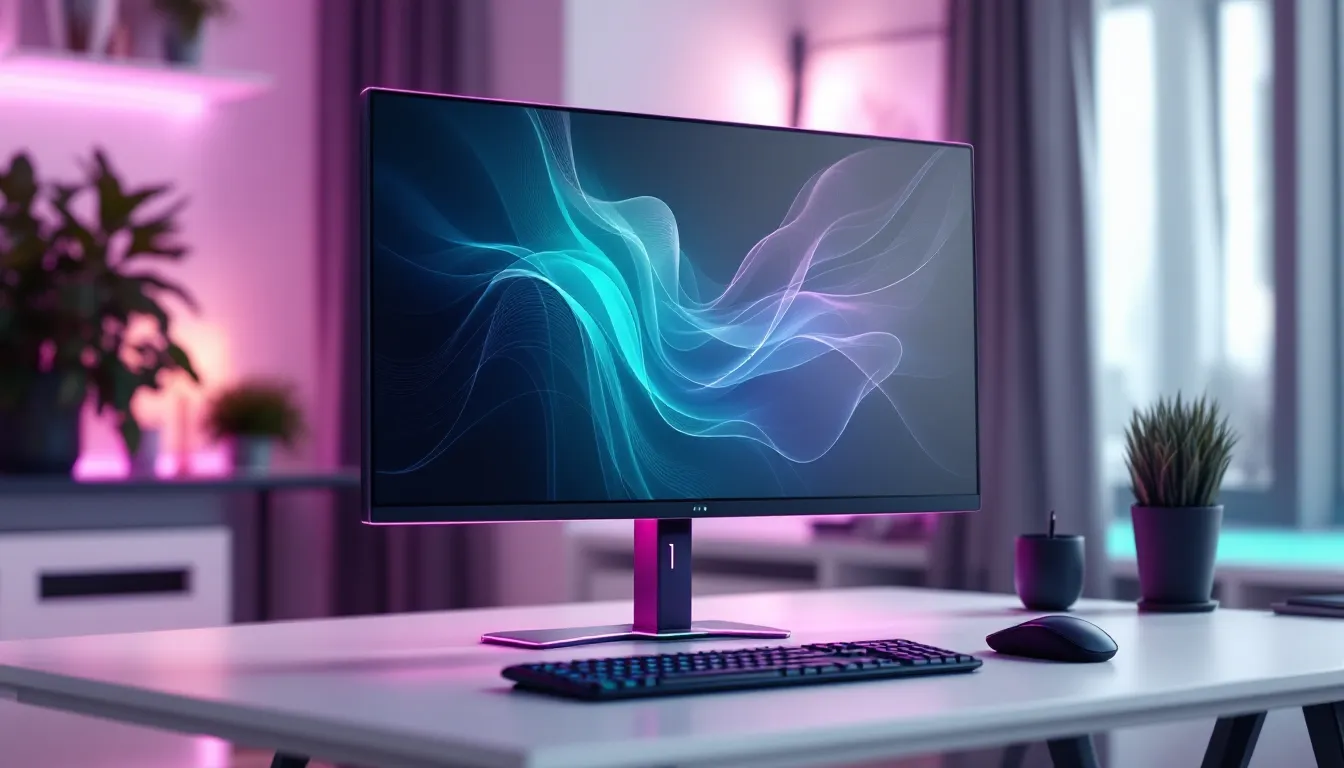
The gaming peripheral market has exploded with color options over the past few years, and pink gaming monitors have carved out a surprisingly dominant niche. What started as a handful of limited-edition releases has evolved into a full-blown trend, with major manufacturers like ASUS, MSI, and Samsung now offering pink variants of their flagship displays. Whether someone’s building a kawaii-themed battlestation, breaking away from the standard black-and-RGB aesthetic, or simply wants hardware that reflects their personal style, pink gaming monitors deliver both form and function.
This guide breaks down everything gamers need to know about pink gaming monitors in 2026, from panel technology and refresh rates to the best models across different budgets and use cases. The goal isn’t just to find a monitor that looks good: it’s to find one that performs at the level competitive and casual gamers demand.
Key Takeaways
- Pink gaming monitors deliver identical internal performance to standard-colored models, with no compromise on refresh rates, response times, or panel quality.
- For most gamers in 2026, a 1440p IPS panel at 144Hz+ provides the ideal balance of visual clarity and performance, making pink gaming monitors at this spec the sweet spot for both competitive and casual play.
- Factory pink monitors from major brands like ASUS, MSI, and Samsung offer better durability and resale value compared to DIY vinyl wraps, with only a modest $20–50 price premium in many cases.
- Esports competitors should prioritize 24-inch displays at 240Hz with sub-1ms response times, while immersive single-player gamers benefit more from 27-inch screens with VA or OLED panels for deeper contrast.
- A cohesive aesthetic setup around your pink gaming monitor requires coordinated peripherals in whites, creams, and soft pastels, plus controlled RGB lighting using custom hex codes rather than rainbow cycling effects.
Why Pink Gaming Monitors Are Taking Over the Gaming World
Pink gaming monitors aren’t just a passing fad, they represent a shift in how gamers approach setup aesthetics and hardware personalization. The demand has grown steadily since 2023, with search interest and product launches reflecting a market that’s hungry for options beyond the standard matte black or gunmetal gray.
The Rise of Aesthetic Gaming Setups
Social media platforms like Instagram, TikTok, and YouTube have turned gaming setups into a competitive art form. Gamers aren’t just optimizing for frame rates anymore: they’re curating spaces that look camera-ready. Pink monitors fit perfectly into popular aesthetic movements like pastel gaming, soft girl setups, and retro-futuristic themes.
The “aesthetic gaming setup” hashtag has racked up billions of views, and pink hardware consistently ranks among the most popular color choices in setup tours and build videos. Manufacturers noticed. What was once a novelty colorway reserved for limited drops is now a standard SKU in many product lines. ASUS’s ROG Strix line, for example, launched a dedicated pink variant in late 2024, and it sold out within hours.
This isn’t about sacrificing performance for style, either. Most pink gaming monitors share identical internal specs with their standard-colored counterparts, same panels, same refresh rates, same response times. The only difference is the chassis color.
Breaking Gender Stereotypes in Gaming Hardware
The gaming industry has historically marketed hardware with a hyper-masculine edge: aggressive angles, dark colors, and RGB that screams “tactical.” Pink gaming monitors challenge that default. They signal that gaming gear doesn’t have to conform to outdated stereotypes about who plays games or what their setups should look like.
Interestingly, the demographic buying pink monitors is more diverse than some might assume. While many buyers identify as women or non-binary gamers, plenty of male gamers are also drawn to the aesthetic. The common thread isn’t gender, it’s a desire for personalization and the confidence to build a setup that feels authentic.
This shift has also pushed brands to rethink their design language. Companies that once refused to deviate from black-and-red “gamer” aesthetics are now experimenting with pastels, whites, and other colorways. Pink monitors opened the door for that broader palette.
What to Look for in a Pink Gaming Monitor
Color aside, a pink gaming monitor needs to deliver on the same technical fronts as any high-performance display. Here’s what matters when shopping for one.
Display Technology: IPS vs VA vs TN Panels
Panel type dictates color accuracy, viewing angles, contrast, and response time. Each has trade-offs.
IPS (In-Plane Switching) panels are the most common in pink gaming monitors right now. They offer excellent color reproduction and wide viewing angles, which is ideal if the monitor’s going to be showcased in setup photos or streams. IPS response times have improved significantly: many models now hit 1ms gray-to-gray (GTG) with overdrive enabled. The downside? IPS glow and weaker contrast compared to VA.
VA (Vertical Alignment) panels deliver deeper blacks and better contrast ratios, often 3000:1 or higher compared to IPS’s typical 1000:1. That makes them great for single-player games with dark scenes. But, VA panels tend to have slower response times, which can introduce ghosting in fast-paced shooters. Pink VA monitors are rarer but worth considering for immersive gaming.
TN (Twisted Nematic) panels are nearly extinct in the pink monitor market. They were once the go-to for competitive gamers due to their blazing-fast response times, but IPS has caught up. TN’s poor color accuracy and narrow viewing angles don’t mesh well with the aesthetic-focused crowd that pink monitors attract.
For most users, IPS is the sweet spot in 2026. It balances performance with the visual fidelity that makes a pink monitor worth showing off.
Refresh Rate and Response Time for Competitive Gaming
Refresh rate determines how many frames per second (FPS) the monitor can display. For competitive gaming, 144Hz is the baseline. Anything lower feels sluggish in fast-paced titles like Valorant, Apex Legends, or CS2.
Most pink gaming monitors in 2026 start at 144Hz, with premium models pushing 165Hz, 180Hz, or even 240Hz. Esports players and high-ranked competitive gamers will notice the difference between 144Hz and 240Hz, it’s smoother tracking, crisper motion clarity, and a slight edge in reaction time.
Response time (measured in milliseconds) is how quickly a pixel can change from one color to another. Lower is better. A 1ms GTG response time is standard for gaming monitors now, though real-world performance often depends on how aggressive the monitor’s overdrive setting is. Push it too hard, and you’ll get inverse ghosting (coronas around moving objects). Reputable display technology guides often test overdrive performance across multiple settings to find the optimal balance.
Resolution Considerations: 1080p, 1440p, or 4K
Resolution impacts both visual clarity and GPU demands.
-
1080p (1920×1080): The most affordable and easiest to drive. Perfect for budget builds or esports-focused setups where frame rate matters more than pixel density. At 24 inches, 1080p looks sharp. At 27 inches, pixels become noticeable.
-
1440p (2560×1440): The current sweet spot for gaming in 2026. It’s a noticeable upgrade in sharpness without the steep performance cost of 4K. Most mid-range GPUs (RTX 4060 Ti, RX 7700 XT) can comfortably hit 144+ FPS at 1440p in most titles. This is the resolution most pink gaming monitors target.
-
4K (3840×2160): Gorgeous for single-player games and productivity, but demanding. You’ll need a high-end GPU (RTX 4080 or better) to maintain high refresh rates. 4K pink monitors exist but are rare and expensive.
For most gamers, 1440p at 144Hz or higher is the ideal pairing of clarity and performance.
Screen Size and Curved vs Flat Displays
Screen size is a personal preference, but here are the common options:
-
24 inches: Compact, ideal for competitive gaming. The entire screen stays in peripheral vision without head movement. Most esports pros use 24-inch displays.
-
27 inches: The most popular size for general gaming. It’s large enough for immersion but still fits on most desks. This is where 1440p truly shines.
-
32 inches and up: Immersive for single-player and sim games, but too large for competitive play. Tracking enemies across a 32-inch screen requires more eye and head movement.
Curved vs flat is mostly about immersion. Curved monitors (usually rated at 1500R or 1000R curvature) wrap around the viewer’s field of view, making games feel more enveloping. They’re popular for ultrawide formats (21:9 or 32:9). But, most pink gaming monitors are flat, likely because curved panels add manufacturing complexity and cost. If someone wants a pink curved monitor, options are limited but growing.
Best Pink Gaming Monitors in 2026
Here are the top pink gaming monitors across different categories, based on performance, availability, and value in 2026.
Best Overall Pink Gaming Monitor
ASUS ROG Strix XG27AQ Pink Edition
- Panel: 27-inch IPS
- Resolution: 2560×1440 (1440p)
- Refresh Rate: 170Hz
- Response Time: 1ms GTG
- Adaptive Sync: G-SYNC Compatible / FreeSync Premium
- Price: ~$449
The ROG Strix XG27AQ Pink Edition nails the balance between aesthetics and performance. It’s a proper gaming monitor first, with a fast IPS panel, excellent motion clarity, and robust color calibration out of the box (sRGB and DCI-P3 coverage). The pink chassis extends to the stand and rear panel, so it looks cohesive from every angle.
ASUS didn’t cheap out on features, either. It includes DisplayHDR 400, a versatile stand with full ergonomic adjustments, and a built-in USB hub. Gamers testing hardware benchmarks have consistently rated this model among the best 1440p displays for competitive and casual gaming alike.
Why it’s the best overall: It doesn’t compromise. Performance matches or exceeds most standard gaming monitors in its price range, and the pink colorway is executed flawlessly.
Best Budget Pink Gaming Monitor
MSI G2412FP Pink
- Panel: 24-inch IPS
- Resolution: 1920×1080 (1080p)
- Refresh Rate: 180Hz
- Response Time: 1ms GTG
- Adaptive Sync: FreeSync Premium
- Price: ~$179
MSI’s G2412FP Pink is a killer value. At under $200, it delivers a 180Hz refresh rate, solid IPS colors, and a pink bezel that’s subtle but distinct. The stand is basic, tilt-only, but that’s expected at this price. VESA mounting is supported for anyone who wants more flexibility.
This monitor is perfect for esports grinders on a budget. The 24-inch 1080p combo keeps pixel density sharp, and 180Hz is more than enough for Valorant, League of Legends, or Fortnite. It won’t blow anyone away with HDR or color gamut, but it does exactly what it needs to.
Why it’s the best budget pick: No other pink monitor under $200 offers this much speed and quality.
Best Pink Gaming Monitor for Competitive Esports
Samsung Odyssey G5 Pink (2026 Refresh)
- Panel: 24-inch IPS
- Resolution: 1920×1080 (1080p)
- Refresh Rate: 240Hz
- Response Time: 0.5ms GTG
- Adaptive Sync: FreeSync Premium Pro / G-SYNC Compatible
- Price: ~$299
Samsung’s 2026 refresh of the Odyssey G5 line introduced a pink variant, and it’s tailored for high-level competitive play. The 240Hz refresh rate and sub-1ms response time minimize input lag and motion blur, giving players every possible edge.
The 24-inch size is intentional, most esports pros prefer smaller screens for better focus and faster visual tracking. Samsung also improved the anti-glare coating compared to older models, reducing reflections during long sessions under desk lighting.
Why it’s the best for esports: Speed is king, and this monitor delivers the fastest refresh rate and response time in the pink monitor category.
Best Premium Pink Gaming Monitor
LG UltraGear 27GR95QE-B Pink Limited Edition
- Panel: 27-inch OLED
- Resolution: 2560×1440 (1440p)
- Refresh Rate: 240Hz
- Response Time: 0.03ms GTG
- Adaptive Sync: G-SYNC Compatible / FreeSync Premium
- Price: ~$899
LG’s UltraGear OLED series is already considered top-tier, and the pink limited edition takes it further. OLED brings infinite contrast, per-pixel lighting, and jaw-dropping color vibrancy. Blacks are true black, not the washed-out gray of IPS or VA panels. The 0.03ms response time is effectively instantaneous, there’s zero perceptible ghosting.
The pink chassis is understated and elegant, avoiding the overly cutesy vibe some might worry about. LG also includes built-in burn-in protection features like pixel shift and screen savers, though OLED longevity has improved significantly since early generations.
Why it’s the best premium pick: OLED image quality is in a different league. For gamers who want the absolute best picture and have the budget, this is it.
How to Style Your Pink Gaming Monitor Setup
A pink gaming monitor is the anchor, but the full setup makes it shine. Here’s how to build around it.
Complementary Peripherals and Accessories
Color coordination is key. Pink peripherals are more common now, but not every piece needs to be pink, too much can feel overwhelming. Instead, mix in whites, creams, and soft pastels.
Keyboard: White or cream mechanical keyboards pair beautifully with pink monitors. Brands like Razer (Quartz line), Akko, and Logitech offer pink and white keycap sets. Consider a custom build with pastel keycaps for maximum aesthetic control.
Mouse: The Logitech G Pro X Superlight in pink, Razer Viper V3 Pro in Quartz, or Glorious Model O Wireless in pink are all solid choices. Wireless keeps the desk clean.
Headset: Pink headsets from brands like Razer, SteelSeries, and HyperX are widely available. If going wired, use a white or pink cable sleeve for cohesion.
Mousepad: Large desk mats in pink, white, or pastel gradients tie the setup together. Extended mats (900mm × 400mm) create a unified surface under the keyboard and mouse.
Cable management: Use white or pink cable raceways and Velcro straps. Exposed black cables break the aesthetic.
RGB Lighting and Color Coordination Tips
RGB can enhance a pink setup, but only if it’s controlled. Random rainbow puke ruins the vibe.
Set RGB peripherals and LED strips to static pink, white, or soft purple. Avoid cycling effects unless they’re slow and match the color palette. Most RGB software (Razer Synapse, Corsair iCUE, SignalRGB) allows custom palettes, use hex codes like #FFB6C1 (light pink) or #FFC0CB (standard pink) for consistency.
Bias lighting behind the monitor reduces eye strain and adds depth. Philips Hue light strips or generic USB-powered LED strips work well. Set them to a warm white or soft pink that complements the monitor’s glow.
Avoid: Clashing colors like bright red, green, or cyan unless they’re part of a deliberate retro or vaporwave theme.
Desk Setup Ideas for Aesthetic Builds
White desk: The safest choice. Pink pops against white, and it’s easy to photograph.
Light wood desk: Adds warmth. Scandinavian and minimalist setups often use light oak or bamboo.
Black desk: Trickier but doable. Use plenty of white and pink accents to avoid a dark, heavy look.
Wall decor: Neon signs (custom “GG” or username), floating shelves with collectibles, or pegboards for headset and controller storage. Posters and prints should match the color scheme, pastel anime art, minimalist prints, or retro game posters work well.
Plants: Real or fake, greenery softens tech-heavy setups. Small succulents or trailing pothos in white or pink planters fit perfectly.
Lighting: A ring light or small desk lamp in white keeps the workspace bright during streams or late-night sessions.
Pink Gaming Monitors vs Custom Wraps and Skins
Not everyone wants to buy a dedicated pink monitor. Custom wraps and skins offer an alternative, but they come with trade-offs.
Pros and Cons of Factory Pink Monitors
Pros:
- Consistent finish: Factory pink is applied during manufacturing with durable coatings. It won’t peel, fade, or look cheap.
- Resale value: Pink variants from known brands (ASUS, MSI, Samsung) hold value well, especially if they’re limited editions.
- No DIY hassle: Buy it, plug it in, done.
- Warranty: Factory colors don’t void warranties.
Cons:
- Limited selection: Not every monitor model comes in pink. If someone wants a specific panel (say, a 360Hz OLED), pink might not be an option.
- Price premium: Some pink monitors cost $20–50 more than their standard counterparts due to lower production volumes.
DIY Customization Options
Custom wraps and skins (from companies like dbrand, Slickwraps, or generic Amazon sellers) let someone turn any monitor pink.
Pros:
- Flexibility: Any monitor, any time. If someone already owns a great display, they can change its color without buying new hardware.
- Reversible: Don’t like it? Peel it off.
- Cheaper upfront: A vinyl wrap costs $30–60, far less than buying a new monitor.
Cons:
- Application skill: Air bubbles, misalignment, and wrinkles are common if someone’s not careful. It takes patience and precision.
- Durability: Vinyl can peel at edges over time, especially near heat vents. It also scratches more easily than factory coatings.
- Texture mismatch: Wraps are often glossy or matte, which might not match the original monitor’s finish. It can look obvious up close.
- Resale concerns: Removing a wrap might leave residue. Potential buyers may see it as a red flag.
For reference, technology buying guides occasionally cover DIY customization trends, noting that wraps work best on monitors with simple, flat bezels rather than complex curves or vents.
Verdict: If someone’s committed to a pink setup and wants longevity, a factory pink monitor is worth the investment. If they’re experimenting or on a tight budget, a quality vinyl wrap is a solid temporary solution.
Performance Considerations: Does Color Affect Gaming?
Short answer: No. The external color of a monitor’s chassis has zero impact on panel performance, refresh rate, response time, or input lag.
Long answer: What matters is the internal hardware, panel type, backlight, scalar chip, and firmware. A pink IPS panel with 165Hz refresh and 1ms response time performs identically to a black version of the same model. Manufacturers don’t downgrade internals for colored variants: they use the same production line and simply swap the plastic housing.
There’s a psychological element, though. Some gamers report that a setup they genuinely love, aesthetically and functionally, boosts motivation and enjoyment. If a pink monitor makes someone excited to sit down and play, that’s a real benefit, even if it’s not measurable in FPS.
One technical consideration: glossy vs matte bezels. Some pink monitors use glossy plastic, which can reflect more ambient light than matte black bezels. This doesn’t affect the screen itself, but it might be distracting in brightly lit rooms. Check product photos and reviews for bezel finish details.
Bottom line: Buy a pink monitor if it fits the aesthetic vision. Just make sure the specs, refresh rate, resolution, panel type, match the gaming needs first. Color is the cherry on top, not the foundation.
Common Questions About Pink Gaming Monitors
Are Pink Gaming Monitors More Expensive?
Sometimes, but not always. Pink variants from major brands (ASUS ROG, MSI, Samsung) occasionally carry a $20–50 premium over standard colors, usually because they’re produced in smaller batches or marketed as limited editions. But, many models, especially budget and mid-range options, are priced identically to their black counterparts.
The real cost difference comes from availability. Pink monitors often sell out faster, which can drive up resale prices on secondary markets like eBay or Facebook Marketplace. If someone’s patient and catches a restock or sale, they can snag one at MSRP.
Do Pink Monitors Perform as Well as Standard Colors?
Yes. As covered earlier, external color doesn’t affect internal performance. A pink monitor with a 240Hz IPS panel performs exactly the same as a black or white version with the same panel. Manufacturers don’t use inferior components for colored models.
That said, pink monitors are sometimes limited to specific product lines. For example, a brand might only offer pink in their mid-range series, not their flagship esports line. In those cases, the “limitation” is selection, not performance degradation.
Where to Buy Pink Gaming Monitors
Pink gaming monitors are available through standard retail channels:
- Amazon: Widest selection, frequent restocks, easy returns. Watch for third-party sellers marking up prices: buy from the manufacturer’s official store when possible.
- Newegg: Strong selection of gaming hardware, often has sales and bundle deals.
- Best Buy: Carries major brands like ASUS and Samsung. In-store pickup can save on shipping.
- Manufacturer direct: ASUS Store, MSI’s website, Samsung’s site. Sometimes offer exclusive colors or early access.
- Micro Center: If there’s a location nearby, they often stock pink peripherals and monitors.
For limited editions, follow brand social media accounts for drop announcements. Pink variants can sell out in hours, especially during product launches or holiday sales.
Conclusion
Pink gaming monitors have evolved from niche novelties to legitimate contenders in the gaming hardware space. They deliver the same performance as their standard-colored counterparts, fast refresh rates, sharp resolutions, and low response times, while offering a distinct aesthetic that resonates with a growing community of gamers.
Whether someone’s chasing a pastel dreamscape setup or simply wants hardware that breaks the mold, there’s a pink gaming monitor that fits. From budget 1080p panels to premium OLED displays, the options in 2026 are better than ever. The key is matching specs to gaming needs first, then letting the color elevate the overall experience.
For anyone still on the fence: a setup should feel personal. If pink is the vibe, don’t let outdated stigmas or assumptions hold it back. Build the battlestation that feels right, and the performance will follow.