
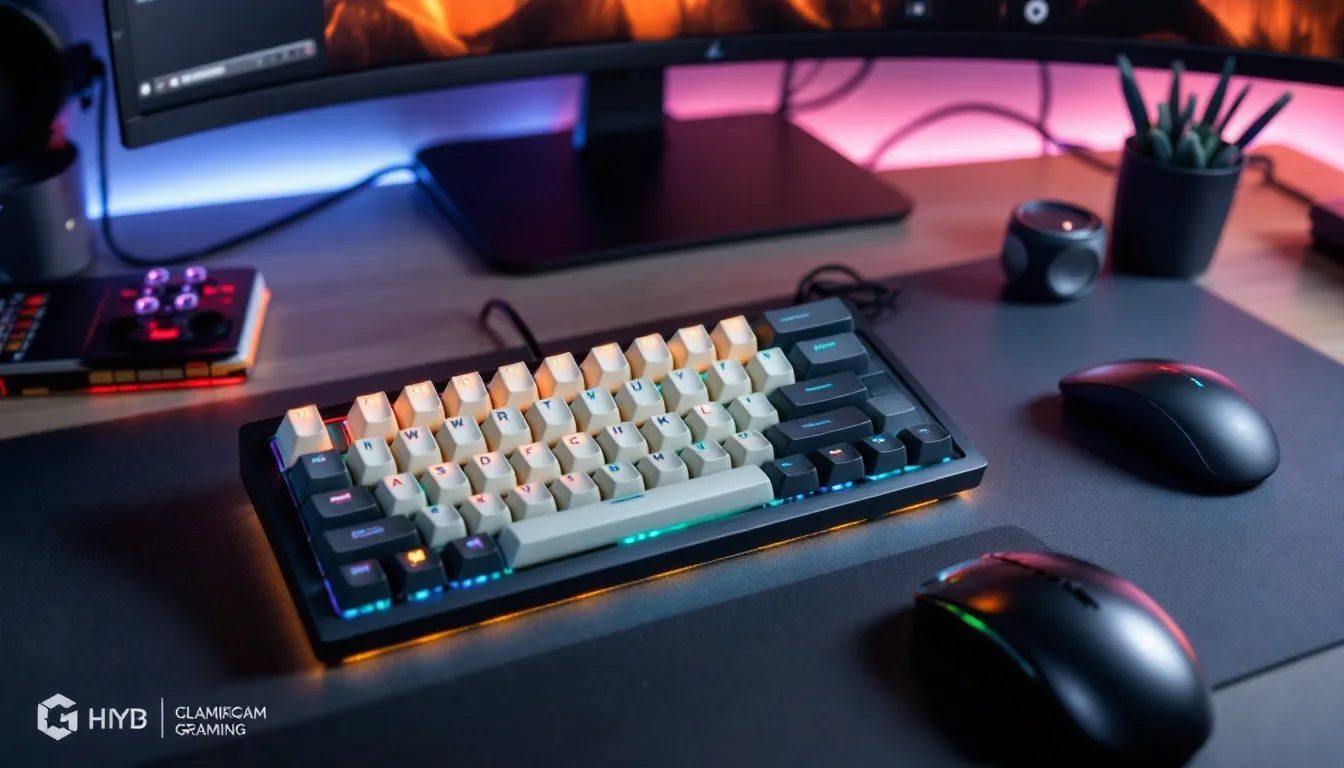
Typewriter gaming keyboards have carved out a niche in 2026 that nobody saw coming five years ago. These retro-styled boards blend vintage aesthetics with modern mechanical switch technology, delivering a tactile experience that’s equal parts nostalgia and performance. Round keycaps, audible clicks, and chassis designs that look like they belong in a 1950s newsroom, yet they’re packing anti-ghosting, RGB lighting, and polling rates that competitive players demand.
The appeal isn’t just about looks. Gamers, especially content creators and streamers, are drawn to the distinctive sound profile and the way these keyboards photograph on camera. But beyond the desk candy factor, there’s real discussion about whether the unique keycap shape and switch characteristics impact gameplay, typing speed, and comfort during marathon sessions. This guide breaks down everything you need to know before dropping cash on a typewriter-style mechanical keyboard for gaming in 2026.
Key Takeaways
- Typewriter gaming keyboards blend 1950s retro aesthetics with modern mechanical switch technology, delivering tactile feedback and distinctive clacking sounds that appeal to both gamers and content creators.
- Round PBT keycaps and heavier actuation forces (60–70g) provide satisfying tactile feedback but introduce a learning curve and may slow rapid keystrokes in competitive FPS games.
- Premium typewriter gaming keyboard models like the Lofree Flow and Asus ROG Azoth offer 1000Hz polling rates and sub-5ms wireless latency, matching traditional gaming keyboards in performance.
- RPG, strategy, and content creation use cases are ideal for typewriter keyboards, while competitive esports players may find the keycap shape and heavy switches trade performance for aesthetics.
- Budget-friendly options ($50–$100) exist for casual gamers, but mid-range ($100–$200) picks offer the best value with hot-swappable switches, wireless connectivity, and quality PBT keycaps.
- Regular maintenance including weekly keycap cleaning and periodic switch upgrades helps preserve the unique feel and longevity of your typewriter gaming keyboard investment.
What Is a Typewriter Gaming Keyboard?
A typewriter gaming keyboard replicates the visual and tactile feel of classic typewriters while integrating modern mechanical switches, RGB lighting, and gaming-grade features. These aren’t literal antiques repurposed for gaming, they’re purpose-built peripherals that borrow heavily from mid-century design language.
Defining the Typewriter Aesthetic in Modern Gaming Gear
The typewriter aesthetic centers on round (or circular) keycaps instead of the standard square or rectangular profile found on most gaming keyboards. Keycaps often feature a dish or cup shape that mimics the finger wells on vintage typewriter keys. The chassis typically uses materials like aluminum, wood, or textured plastic with a matte or brushed finish, avoiding the aggressive gamer look of sharp angles and RGB overload.
Colorways lean heavily into retro palettes: cream, mint green, pastel blue, or two-tone black-and-white schemes. Some models even include typewriter-inspired fonts on the keycaps, serif or classic sans-serif legends instead of the blocky lettering common on gaming boards. The overall vibe is “1940s office” meets “modern battlestation,” and it’s a sharp contrast to the RGB-drenched angular designs that dominated the 2010s.
How Typewriter Keyboards Differ from Traditional Gaming Keyboards
Beyond aesthetics, there are functional differences. Keycap shape is the most obvious: round caps change finger placement slightly and can take a few days to adjust to if you’re used to standard profiles like Cherry or OEM. The tactile feedback often skews toward heavier actuation forces (60–70g) and clicky switches to emulate the mechanical resistance of old typewriters.
Traditional gaming keyboards prioritize low-latency polling rates (1000Hz or higher), N-key rollover, and customizable macro keys. Typewriter keyboards in 2026 now include these features, but they’re often packaged with fewer dedicated macro keys and simpler software suites. The focus shifts from competitive edge to a blend of performance and presentation. Some models sacrifice hot-swappable switches or advanced software for the sake of maintaining a clean, retro silhouette.
Why Gamers Are Choosing Typewriter-Style Keyboards
The surge in typewriter keyboard popularity isn’t just a design trend, it’s driven by specific needs and preferences that overlap with gaming culture in 2026.
Nostalgic Design Meets Modern Performance
Nostalgia sells, and typewriter keyboards tap into a romanticized vision of analog craftsmanship. Gamers who grew up watching noir films or who appreciate vintage design are drawn to the aesthetic. But unlike actual typewriters, these boards don’t sacrifice performance. Modern typewriter gaming keyboards ship with mechanical switches (Cherry MX, Gateron, Kailh) that deliver 1ms response times and durability ratings of 50–100 million keystrokes.
You’re getting the look of a 1950s office tool with the internals of a 2026 esports peripheral. That combination appeals to gamers who want their setup to feel personal and curated rather than off-the-shelf “gamer gear.”
Tactile Feedback and Satisfying Keycap Feel
Round keycaps change how your fingers interact with the board. The cupped surface guides fingertip placement, which some typists and gamers find more comfortable than flat or slightly concave traditional keycaps. The tactile bump on clicky switches (like Cherry MX Blue or Kailh Box White) is accentuated by the keycap design, creating a satisfying “thunk” that mimics old typewriter keys.
For gamers who spend as much time typing in Discord or writing guides as they do playing, this feedback loop is addictive. The sound and feel become part of the experience. It’s not for everyone, competitive FPS players might find the heavier actuation force slows rapid key presses, but for RPG players, strategy gamers, and content creators, the trade-off is often worth it.
Unique Desk Aesthetics for Streamers and Content Creators
Streamers and YouTubers are a massive market for typewriter keyboards. A clean, retro board photographs and films beautifully, especially paired with warm lighting and wood desk setups. The distinctive clack of round keycaps is instantly recognizable in microphone audio, adding a layer of ASMR-like appeal to streams and videos.
Viewers notice gear, and a typewriter keyboard becomes a conversation starter. It signals that the creator cares about aesthetics and isn’t just running default RGB rainbow wave mode. In a space where personal branding matters, a typewriter board is a low-effort way to differentiate your setup from the thousands of identical black TKL boards with rainbow puke lighting.
Key Features to Look for in a Typewriter Gaming Keyboard
Not all typewriter keyboards are built the same. Here’s what separates a solid pick from a regret purchase.
Mechanical Switch Types and Actuation Force
Switch choice defines the entire typing and gaming experience. Most typewriter keyboards default to clicky switches (Cherry MX Blue, Kailh Box White, Gateron Blue) to replicate the audible feedback of old typewriters. These switches typically have actuation forces between 50g and 70g, with a tactile bump and audible click at the actuation point.
If you’re gaming in shared spaces or streaming, consider tactile non-clicky switches (Cherry MX Brown, Gateron Brown) which provide the bump without the loud click. Linear switches (Cherry MX Red, Gateron Yellow) are less common on typewriter boards but offer faster actuation for competitive gaming, though they sacrifice the “typewriter” feel.
Check the actuation point (usually 2mm) and total travel distance (around 4mm). Heavier springs can cause finger fatigue during long sessions, especially in games that require rapid key presses like MOBAs or rhythm games.
Round Keycaps vs. Traditional Square Keycaps
Round keycaps are the defining feature, but quality varies. Look for PBT plastic (polybutylene terephthalate) over ABS (acrylonitrile butadiene styrene). PBT resists shine and wear better, and it produces a deeper, more satisfying sound profile.
Keycap legends should be doubleshot or dye-sublimated to prevent fading. Cheap pad-printed legends wear off within months. The curvature of the keycap matters too, some are fully round, others are more oval or beveled. Try before you buy if possible, because finger placement on round caps is subjective.
Some typewriter keyboards offer hotswappable keycaps, letting you mix and match or replace worn keys. This is a huge plus for customization and long-term maintenance.
RGB Lighting and Customization Options
Typewriter keyboards walk a fine line between retro charm and modern features. Many models offer per-key RGB lighting, but it’s often subdued compared to traditional gaming boards. Backlighting shines through the legends or around the keycap edges, not blasting rainbow waves across your desk.
Look for boards with onboard memory to save lighting profiles without requiring software running in the background. Dedicated media keys, volume wheels, and USB passthrough are nice-to-haves but often sacrificed to maintain the clean vintage look.
Software support varies. Premium models integrate with platforms like professional gaming peripheral setups use, while budget options rely on basic function layer shortcuts.
Build Quality, Materials, and Durability
Chassis material impacts both aesthetics and longevity. Aluminum or steel frames provide rigidity and reduce flex during intense gaming. Plastic frames are lighter and cheaper but can feel hollow or rattle during fast keystrokes.
Weight is a good indicator of build quality, most solid typewriter gaming keyboards clock in at 2–3 pounds. Check for rubber feet or adjustable stands to prevent sliding. Detachable USB-C cables are standard in 2026 and make transport easier.
Warranty and customer support matter. Established peripheral brands offer 2-year warranties: lesser-known brands might ghost you after 90 days. Read user reviews specifically about long-term durability and keycap wear.
Top Typewriter Gaming Keyboards in 2026
Here’s a breakdown of standout models across price tiers, current as of early 2026. Meta shifts and new releases happen fast, so double-check availability and specs before buying.
Budget-Friendly Options for Casual Gamers
Ajazz AK33 Retro ($50–$70)
This entry-level board packs Outemu Blue switches, compact 82-key layout, and round PBT keycaps in pastel colorways. No software, no frills, just plug-and-play with basic RGB backlighting. Ideal for casual gamers and typists who want the aesthetic without the investment. Build quality is decent for the price, though the keycaps can develop shine after six months of heavy use.
Epomaker RT100 ($80–$100)
A step up with Gateron or Kailh switch options, wireless Bluetooth 5.1 connectivity, and a 2.4GHz dongle for low-latency gaming. Hot-swappable switches let you experiment without soldering. The round keycaps are high-quality PBT with dye-sub legends. RGB is vibrant but customization is limited without the desktop software.
Mid-Range Picks for Serious Enthusiasts
Asus ROG Azoth Typewriter Edition ($180–$220)
Asus entered the typewriter space in late 2025 with this modified Azoth. It features ROG NX mechanical switches (tactile or linear), OLED display for settings, and gasket-mounted construction for improved acoustics. The round keycaps are sculpted PBT with side-printed legends that glow subtly. Wireless performance is excellent with 1000Hz polling over 2.4GHz. Armoury Crate software offers deep macro and lighting customization. Only downside is the price creep toward premium territory.
Keychron K Pro Retro ($140–$160)
Keychron’s retro variant of the K Pro series offers hot-swappable Gateron G Pro switches, aluminum frame, and QMK/VIA firmware support for advanced users. Mac and Windows compatible out of the box. The round keycaps are OSA profile (a sculpted spherical shape) and feel fantastic for typing. RGB is per-key but restrained. This board nails the balance between gaming performance and typewriter aesthetics.
Premium Typewriter Keyboards for Competitive Play
Recent gaming keyboard reviews highlight premium options that don’t compromise on latency or features.
8BitDo Retro Mechanical Keyboard – Gaming Edition ($220–$260)
Originally known for their controllers, 8BitDo’s updated 2026 version adds wired USB-C with 1000Hz polling, N-key rollover, and Kailh Box V2 switches (clicky, tactile, or linear). The Super Buttons (two large programmable keys) are gimmicky but fun for macro-heavy games. Build quality is top-tier with a magnesium alloy chassis and doubleshot ABS keycaps that mimic Famicom aesthetics. Sound dampening foam reduces hollowness. Excellent for competitive gaming if you can adapt to the round keycap layout.
Lofree Flow ($200–$240)
Lofree’s flagship combines ultra-low latency (1ms wired, 3ms wireless) with a stunning retro design. Kailh low-profile switches keep the board compact while maintaining the typewriter vibe. PBT keycaps are dye-subbed with vintage serif fonts. The Flow supports tri-mode connectivity (USB-C, Bluetooth, 2.4GHz) and includes 4000mAh battery for weeks of wireless use. Premium build with brass weight plate and silicone dampening. Best all-around pick for gamers who want zero compromise.
Performance Considerations: Gaming vs. Typing Experience
Typewriter keyboards excel at typing but introduce trade-offs for certain gaming genres. Here’s the reality check.
Response Time and Anti-Ghosting Technology
Modern typewriter gaming keyboards in 2026 ship with N-key rollover (NKRO) and anti-ghosting as standard features. Polling rates hit 1000Hz on wired models, matching traditional gaming boards. Wireless latency has improved dramatically, premium models deliver sub-5ms response times over 2.4GHz, which is imperceptible in gameplay.
The bottleneck isn’t the tech, it’s the actuation force and keycap shape. Heavier springs (60g+) slow down rapid tapping compared to lighter linears (45g). Competitive FPS players who rely on hair-trigger WASD movement might notice the difference. For RPGs, strategy games, and MOBAs where deliberate keystrokes matter more than speed, typewriter boards perform identically to standard gaming keyboards.
Ergonomics and Comfort During Extended Gaming Sessions
Round keycaps guide fingertip placement, which can reduce mis-presses once you’re acclimated. The cupped surface keeps fingers centered, and some users report less finger fatigue compared to flat keycaps during extended typing sessions.
But there’s a learning curve. If you’re a touch typist with muscle memory built on standard keycaps, expect a few days of adjustment. Your fingers will hunt for keys, and your APM might drop temporarily. The heavier actuation force also contributes to fatigue, if you’re grinding ranked matches for 6+ hours, your fingers will feel it.
Wrist ergonomics are mostly unchanged. Most typewriter keyboards lack built-in wrist rests, so pairing with an external rest is recommended. The higher profile of some retro boards (due to thicker chassis or non-low-profile switches) might require a taller wrist rest to maintain neutral wrist angle.
Noise Levels and Sound Profile
Typewriter keyboards are loud, by design. Clicky switches combined with round keycaps produce a sharp, resonant “clack” that’s louder than most gaming boards. If you’re in shared spaces, gaming late at night, or streaming without noise suppression, this can be a dealbreaker.
Sound dampening helps. Look for boards with foam layers (case foam, PCB foam, switch foam) or gasket-mounted plates which absorb vibration. O-rings on keycaps reduce bottom-out noise but mute the satisfying clack that’s part of the appeal.
Linear or tactile switches are quieter alternatives. Cherry MX Silent Red or Gateron Silent Brown cut noise significantly while maintaining the typewriter aesthetic, though purists argue it sacrifices the authentic experience.
How to Choose the Right Typewriter Keyboard for Your Gaming Setup
Narrowing down the right board depends on your gaming habits, platform, and budget.
Matching Your Gaming Genre and Playstyle
Fast-paced FPS (Valorant, CS2, Apex Legends): Stick with lighter linear switches (45–50g actuation) if you’re serious about performance. The typewriter aesthetic matters less than keystroke speed. If you must have round keycaps, look for low-profile switches to reduce travel distance.
MOBAs and Strategy (League, Dota 2, Starcraft II): Tactile or clicky switches work well. The deliberate actuation prevents accidental presses during complex spell rotations or build orders. APM matters, but not to the millisecond, so the trade-off is acceptable.
RPGs and Story-Driven Games (Baldur’s Gate 3, Elden Ring, Cyberpunk 2077): Typewriter keyboards shine here. You’re typing dialogue, managing inventory, and exploring menus as much as you’re fighting. The premium typing experience enhances immersion, and the aesthetics match the vibe of narrative-heavy games.
Content Creation and Streaming: No-brainer. The sound, look, and feel elevate production value. Just make sure your mic setup can handle the clack or use noise suppression in OBS/Streamlabs.
Compatibility with PC, Console, and Mobile Platforms
Most typewriter gaming keyboards are PC-first, with full Windows and Mac support. Look for onboard memory to save profiles without software.
Console compatibility (PS5, Xbox Series X/S) is hit-or-miss. Wired USB boards usually work for basic input, but macro keys, RGB control, and advanced features often don’t. If console gaming is primary, verify compatibility before buying or stick with officially licensed peripherals.
Mobile/tablet use is possible with Bluetooth models, but the form factor is overkill unless you’re using a tablet as a secondary gaming or productivity device.
Budget and Value Considerations
Set a realistic budget before shopping:
- Under $100: Expect basic features, limited customization, and shorter lifespan. Good for testing the waters.
- $100–$200: Sweet spot for most gamers. You get solid build quality, hot-swappable switches, wireless connectivity, and premium keycaps.
- $200+: Premium materials, ultra-low latency, advanced software, and top-tier switches. Worth it if you’re all-in on the aesthetic or demand zero compromise.
Factor in replacement keycaps (round sets run $30–$80) and custom switches if you plan to mod. Warranty and customer support add value, spending $150 on a board with a 2-year warranty beats $100 on one that dies after 8 months.
Maintaining and Customizing Your Typewriter Gaming Keyboard
Typewriter keyboards require slightly different care than standard boards, especially around the keycaps.
Cleaning Tips for Round Keycaps
Round keycaps trap dust and finger oils in the cupped surface. Wipe them down weekly with a microfiber cloth dampened with isopropyl alcohol (70% or higher). For deep cleaning:
- Remove keycaps with a keycap puller (wire pullers are gentler on round caps than plastic ones).
- Soak keycaps in warm water with mild dish soap for 15–20 minutes.
- Scrub gently with a soft brush (old toothbrush works). Avoid abrasive scrubbers that can scratch PBT.
- Rinse thoroughly and air dry completely (24 hours) before reinstalling.
Clean the board itself with compressed air to blow out debris from between switches. Use a damp cloth on the chassis, avoid getting liquid near the PCB.
Upgrading Switches and Keycap Sets
If your board supports hot-swappable switches, upgrading is straightforward. Pull switches with a switch puller, press new switches into the PCB (align pins carefully to avoid bending). Popular upgrades:
- For quieter typing: Gateron Silent Brown, Cherry MX Silent Red
- For faster gaming: Gateron Yellow (linear, 50g), Kailh Speed Silver
- For premium feel: Holy Panda, Zealios V2, Glorious Panda
Replacement round keycap sets are harder to find than standard profiles. Check specialty retailers like KBDfans, Drop, or AliExpress. Make sure the stem type (usually Cherry MX-compatible) matches your switches. OSA, SA, and MT3 profiles offer sculpted spherical shapes that mimic the typewriter feel.
Lube switches for smoother keystrokes and reduced rattle. Use Krytox 205g0 for linears, Tribosys 3203 for tactiles. This requires disassembling switches, so it’s intermediate-level modding.
Software and Macro Programming Options
Software capabilities vary by brand. Major manufacturers offer dedicated apps:
- Asus Armoury Crate: Deep macro programming, per-key RGB, profile switching
- Keychron Launcher / VIA: Open-source, OS-independent, layer-based programming
- Epomaker Driver: Basic lighting and key remapping
Onboard memory is crucial if you switch between devices or don’t want background software hogging resources. Program macros, lighting, and key assignments once, then save to the board.
For advanced users, peripheral configuration tools review various software ecosystems that support complex macro chains, mouse integration, and cross-device syncing.
Pros and Cons of Typewriter Gaming Keyboards
Here’s the unfiltered breakdown:
Pros:
- Unique aesthetic that stands out in a sea of generic gaming gear
- Satisfying tactile and audible feedback that enhances typing and casual gaming
- High-quality materials (PBT keycaps, aluminum chassis) common even in mid-range models
- Excellent for content creators due to photogenic design and distinctive sound profile
- Modern performance (N-key rollover, 1000Hz polling, low latency) matches traditional gaming boards
- Customization potential with hot-swappable switches and aftermarket keycap sets
Cons:
- Learning curve for touch typists accustomed to standard keycap shapes
- Heavier actuation force can slow down rapid keystrokes in competitive FPS games
- Louder noise profile may not suit shared spaces or late-night gaming
- Limited availability of replacement round keycap sets compared to standard profiles
- Higher price point for premium models ($200+) compared to equivalent traditional gaming keyboards
- Potential finger fatigue during extended sessions with clicky switches and heavy springs
- Less ideal for competitive esports where every millisecond and keystroke counts
The verdict: Typewriter gaming keyboards are a calculated trade-off. You’re prioritizing aesthetics, typing comfort, and personal expression over raw competitive performance. For most gamers, especially those in RPG, strategy, and content creation spaces, that trade-off is absolutely worth it.
Conclusion
Typewriter gaming keyboards represent a refreshing pivot in peripheral design, proving that gaming gear doesn’t have to look like it rolled off a Transformers set to perform well. The combination of retro aesthetics and modern mechanical switch technology creates a typing and gaming experience that’s genuinely different, not just a cosmetic reskin.
If you’re a competitive FPS grinder chasing every frame and millisecond, these boards might not be your first choice. But for RPG enthusiasts, strategy gamers, content creators, and anyone who values desk aesthetics as much as performance, a typewriter-style keyboard is one of the most satisfying upgrades you can make in 2026.
The market has matured enough that quality options exist at every price point. Do your assignments on switch types, keycap materials, and software support. Test the feel if possible before committing. And remember: the best keyboard is the one that makes you want to sit down and use it, whether that’s for a 10-hour raid, a stream session, or just hammering out Discord messages between matches.