
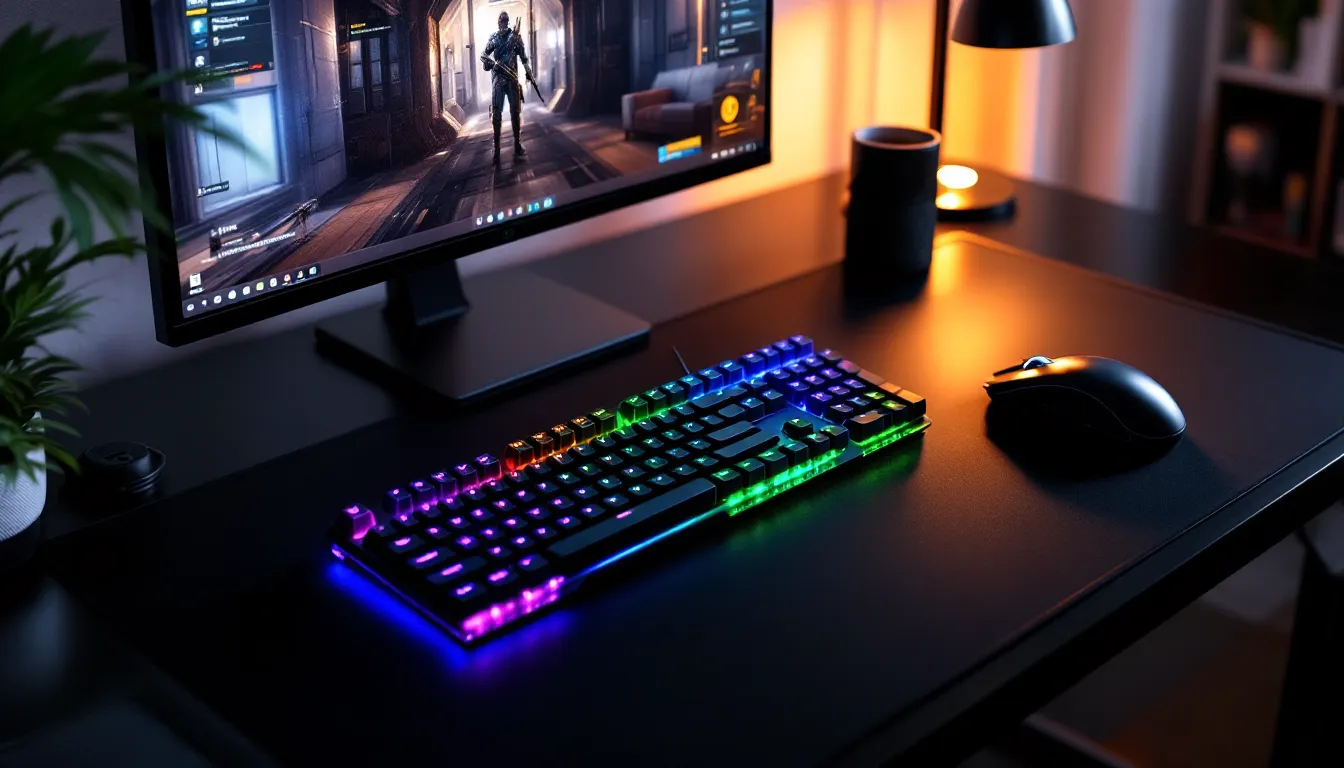
The full-size keyboard’s reign is ending. Walk into any major esports tournament in 2026 and you’ll see a sea of compact layouts, especially 75% boards, dominating the peripherals table. These keyboards strip away the numpad and squeeze the function row into a design that’s barely larger than a tenkeyless, yet somehow keeps nearly every key you actually need. For gamers tired of their mouse pad wrestling for space or anyone who’s lugged a clunky full-size to a LAN party, the 75% layout has become the sweet spot between functionality and footprint.
Whether you’re a competitive FPS player hunting for every millimeter of mouse room, a modding enthusiast craving hot-swap sockets and custom keycaps, or just someone who wants a cleaner desk setup, understanding what makes a great 75% gaming keyboard matters. This guide breaks down the layout itself, why it’s taken over the gaming scene, what features separate mediocre boards from top-tier ones, and how to pick the right model for your playstyle and budget.
Key Takeaways
- A 75% gaming keyboard delivers the Goldilocks zone between compactness and functionality, keeping 84 keys including dedicated F-keys and navigation while saving 4–6 inches of desk space compared to full-size boards.
- Competitive FPS and MOBA players benefit from 75% layouts because the reduced width frees up critical mousepad space for low-DPI aiming and uninhibited arm movements during intense matches.
- Switch type matters for your playstyle: linear switches dominate competitive shooters for speed, tactile switches suit MOBA and MMO players who need keystroke confirmation, and clicky switches are best avoided in shared spaces.
- Hot-swappable PCBs and QMK/VIA firmware support enable future-proofing, allowing you to experiment with different switches, reprogram keys, and customize your 75% gaming keyboard without soldering or proprietary software.
- Budget options like the Keychron V1 ($79–$89) deliver solid mechanical keyboard fundamentals with hot-swap and PBT keycaps, while premium models like the Wooting 80HE ($199) offer analog Hall Effect switches and adjustable actuation for competitive advantages.
- Build quality indicators—aluminum cases, PBT keycaps, pre-lubed stabilizers, and proper firmware support—separate boards that last years from ones that become desk drawer relics after a few months.
What Is a 75% Gaming Keyboard?
A 75% keyboard contains roughly 75% of the keys found on a standard full-size board, typically around 84 keys compared to the usual 104. It keeps the main alphanumeric cluster, a full function row (F1–F12), arrow keys, and a compact navigation block (Insert, Delete, Home, End, Page Up, Page Down) while ditching the numpad entirely. The magic trick is how it condenses everything: the function row sits directly above the number row with minimal gap, and the navigation keys get squeezed into a single vertical column on the right edge.
This tight packing creates a layout that’s only marginally wider than a tenkeyless (TKL) keyboard but retains significantly more keys than a 65% or 60% board. For gamers, that means you’re not hunting for Fn-layer shortcuts to access Delete or Page Up during critical moments. Most 75% boards measure around 12–13 inches wide, compared to 14–15 inches for TKL and 17–18 inches for full-size models.
Key Differences Between 75%, TKL, and Full-Size Keyboards
The jump between keyboard sizes isn’t just about physical dimensions, it’s about trade-offs in key availability, muscle memory, and desk real estate.
Full-size keyboards (104 keys) include everything: the numpad for data entry, a spacious navigation cluster, and generous gaps between key groups. They’re familiar and require zero adaptation, but they push your mouse arm outward at an awkward angle. For gamers with limited desk space or anyone using low-DPI, wide-sweeping mouse movements, that extra width creates ergonomic issues.
Tenkeyless keyboards (87–88 keys) cut the numpad and reclaim about 3–4 inches of horizontal space. The navigation cluster (Insert, Delete, Home, End, Page Up, Page Down) and arrow keys remain full-sized and in their traditional positions. TKL boards became the esports standard for years because they balance familiarity with improved mouse clearance. The downside? They still have noticeable gaps between key groups, so they’re not truly compact.
75% keyboards (84 keys) compress the TKL formula by eliminating nearly all whitespace. The function row drops flush against the number row, and the navigation keys stack vertically instead of spreading across two columns. You lose almost no functionality compared to TKL, just a bit of visual breathing room, but gain another 1–2 inches of desk space. The layout takes maybe an hour to adjust to if you’re coming from TKL, far less than the learning curve of a 65% or 60% board that forces you into Fn-layer gymnastics.
For context, 65% keyboards (68 keys) drop the function row entirely and rely on Fn combos, while 60% boards (61 keys) also eliminate dedicated arrow keys. Those layouts appeal to minimalists and typing purists, but most gamers find the loss of instant-access F-keys and arrows too frustrating during intense matches. The 75% hits the Goldilocks zone: compact enough to matter, complete enough to feel natural.
Why Gamers Are Switching to 75% Layouts
The 75% layout explosion isn’t hype, it’s a practical response to how modern gaming setups have evolved. Between larger mousepads, multi-monitor rigs, and the rise of competitive gaming where every advantage counts, the old full-size keyboard started feeling like a relic.
Space Efficiency Without Sacrificing Functionality
Desk space is premium real estate. Streaming setups demand microphone arms, camera mounts, and monitor stands. Competitive players need oversized mousepads, often 36 inches wide or more, to accommodate low-sensitivity flick shots. A full-size keyboard eats into that room and forces compromises.
The 75% layout gives back 4–6 inches compared to full-size boards, which doesn’t sound like much until you realize that’s the difference between your mousepad butting against your keyboard and having comfortable clearance. You can center your keyboard and mouse directly in front of you instead of angling them awkwardly. Plus, you retain the function keys that many games bind to abilities, scoreboards, or communication wheels, something 65% and 60% users have to layer behind Fn shortcuts.
Enhanced Mouse Movement Range for FPS and MOBA Games
Low-sensitivity aiming dominates competitive FPS titles in 2026. Top-tier players in games like Valorant, Counter-Strike 2, and Apex Legends use 400–800 DPI with in-game sensitivity scaled down for pixel-perfect precision. That means wide, sweeping arm movements to track targets, and every inch of horizontal space matters.
Many pro player settings favor compact keyboards precisely because they allow uninhibited mouse movement. A 75% board positions the alphanumeric keys closer to your body’s centerline, reducing reach and minimizing the chance of your mouse hand clipping the keyboard edge during a panic flick. MOBA players benefit too: faster camera panning and more comfortable item keybinds when your mouse isn’t constantly bumping into a numpad you never use.
Portability for LAN Parties and Esports Tournaments
Esports tournaments and LAN events have strict desk space allocations. Players often get a 4–5 foot table section to fit their keyboard, mouse, mousepad, and sometimes a drink. A compact board means you’re not fighting for room or dealing with cable management nightmares in cramped booths.
Beyond tournaments, portability matters for anyone who travels with their gear. A 75% keyboard fits easily into a backpack alongside a laptop and mouse without the bulk of a full-size board. If you’re hopping between a gaming rig at home and a setup at a friend’s place, the reduced size and weight make a tangible difference. Some of the latest wireless 75% models weigh under 700 grams and last 40+ hours on a charge, making them ideal travel companions.
Essential Features to Look for in a 75% Gaming Keyboard
Not all 75% keyboards are built the same. The market flooded with options in 2025–2026, ranging from budget boards with mushy stabs to premium models with gasket mounts and PBT keycaps. Here’s what actually matters when you’re hunting for a gaming-focused 75% board.
Switch Types: Linear, Tactile, and Clicky Explained
Mechanical switches define how a keyboard feels and sounds. For gaming, the choice usually comes down to three categories:
-
Linear switches (e.g., Cherry MX Red, Gateron Yellow, Kailh Box Red) have smooth, consistent travel with no tactile bump or audible click. They’re fast and quiet, making them the go-to for competitive FPS and rhythm games where rapid key presses and minimal distraction matter. Actuation force typically ranges from 45g to 50g.
-
Tactile switches (e.g., Cherry MX Brown, Glorious Panda, Boba U4T) provide a noticeable bump midway through the keystroke, giving physical feedback without the loud click. Many gamers prefer tactiles for a balance between gaming and typing, especially in MMOs and strategy games where you’re mixing combat with chat communication. Actuation force usually sits around 55g to 65g.
-
Clicky switches (e.g., Cherry MX Blue, Kailh Box White) add an audible click on top of the tactile bump. They’re satisfying for typing but divisive in gaming, some players love the feedback, while others (and their teammates on voice chat) find them obnoxiously loud. Not recommended for shared spaces or late-night sessions.
Switch preference is subjective, but for pure gaming performance, linears dominate the competitive scene due to lower actuation force and faster reset times.
Hot-Swappable PCBs for Maximum Customization
A hot-swappable PCB lets you pull switches out and swap in new ones without soldering. This is a game-changer if you want to experiment with different switch types, upgrade to premium switches later, or replace a faulty switch without buying a new keyboard.
In 2026, most mid-range and premium 75% boards ship with hot-swap sockets (usually Kailh or Gateron-style). Budget models might still use soldered switches, which locks you into whatever the manufacturer chose. If you’re even slightly interested in customization or future-proofing your board, hot-swap is non-negotiable. Some boards support 3-pin switches only, while others accommodate 5-pin: check compatibility before buying aftermarket switches.
RGB Lighting and Per-Key Customization
RGB lighting is divisive, some gamers treat it as essential ambiance, others see it as pointless RGB tax. For gaming specifically, per-key RGB has practical uses beyond aesthetics: highlighting WASD or ability keys in low-light conditions, color-coding different key groups for complex MMO rotations, or syncing lighting with in-game events via software integrations.
Look for boards that support per-key customization through software like VIA, QMK, or proprietary apps. Cheaper boards often have zone lighting (lighting divided into 3–5 regions) or single-color backlighting, which limits creative control. Battery life takes a hit on wireless models with RGB enabled, expect 8–12 hours with full brightness versus 40+ hours with lighting off.
Wireless vs. Wired: Latency and Battery Considerations
Wireless tech has come a long way. Modern 2.4 GHz wireless keyboards using protocols like Razer HyperSpeed, Logitech Lightspeed, or proprietary low-latency dongles achieve sub-1ms response times, indistinguishable from wired in blind tests. Bluetooth 5.1+ has improved too, though it still introduces 5–15ms latency, which competitive players might notice in twitchy shooters.
Reviews from technology hardware experts consistently show that high-end wireless gaming keyboards in 2026 perform on par with wired connections. The real trade-off is battery life and weight. Wireless boards pack batteries that add 50–150 grams and require charging every few days to weeks depending on RGB usage. Wired boards never die mid-session and often weigh less, but cable management and desk clutter become issues.
If you’re traveling frequently or value a clean desk aesthetic, wireless makes sense. For stationary setups where weight and battery anxiety aren’t concerns, wired remains reliable and often cheaper.
Build Quality, Keycap Materials, and Stabilizers
Build quality separates mediocre boards from ones that last years. Key indicators:
-
Case material: Aluminum or CNC-machined cases feel solid and dampen vibrations better than plastic. Plastic isn’t inherently bad, high-quality ABS or polycarbonate can still be sturdy, but cheap hollow plastic cases sound and feel tinny.
-
Plate material: The plate (the layer between switches and PCB) affects typing feel and acoustics. Aluminum plates are rigid and precise: brass plates add weight and deeper sound: polycarbonate and FR4 plates offer more flex and a softer bottom-out.
-
Keycap material: PBT (polybutylene terephthalate) keycaps resist shine, feel textured, and produce a deeper sound. ABS (acrylonitrile butadiene styrene) keycaps are cheaper, smoother, and develop a greasy shine over months of use. For longevity, PBT wins. Doubleshot or dye-sublimated legends won’t fade, while pad-printed legends wear off quickly.
-
Stabilizers: Large keys (spacebar, Enter, Shift) use stabilizers to prevent wobble. Cheap, unlubed stabilizers rattle and sound mushy. Premium boards ship with pre-lubed, properly tuned stabs (often Cherry or Durock style). If your spacebar sounds like a mechanical typewriter, your stabs need work.
Top 75% Gaming Keyboards in 2026
The 75% market matured rapidly in 2025–2026, with manufacturers across price tiers releasing strong contenders. Here are standout models based on performance, build quality, and value.
Best Budget Option for Entry-Level Gamers
Keychron V1 (around $79–$89): Keychron’s V series brought hot-swappable, gasket-mounted boards to the budget tier without cutting critical corners. The V1 ships with Keychron K Pro switches (choose linear, tactile, or clicky), doubleshot PBT keycaps, and full QMK/VIA support for deep remapping. The case is plastic but dense enough to avoid hollow ping, and the factory-lubed stabilizers are surprisingly decent for the price.
It’s wired-only, which keeps costs down and avoids battery compromises. For gamers who want a solid entry into mechanical keyboards and don’t need wireless, the V1 punches well above its weight. The only real drawback is the lack of premium acoustics, expect a slightly higher-pitched sound profile compared to gasket-mounted aluminum boards.
Best Premium Choice for Enthusiasts
Wooting 80HE (around $199): Wooting made waves with analog Hall effect switches, and the 80HE (their 75% model launched in late 2025) remains the gold standard for competitive gaming. Hall effect switches use magnets instead of metal contacts, offering adjustable actuation points down to 0.1mm and Rapid Trigger, a feature that resets the key the instant you release it, eliminating the traditional reset point delay.
For games like Counter-Strike 2 and Valorant, Rapid Trigger enables inhuman counter-strafing and movement precision. You can set WASD to actuate at 0.2mm for lightning-fast strafes while keeping other keys at traditional depths. The board also features per-key RGB, PBT keycaps, and a CNC aluminum case. It’s wired-only, but latency is effectively zero. If budget isn’t a constraint and you’re chasing every competitive edge, the 80HE justifies its price.
Best Wireless 75% Keyboard for Low-Latency Gaming
Logitech G915 TKL X (around $229): Technically marketed as TKL, but Logitech’s 2026 revision of the G915 X introduced a 75% variant with low-profile GL switches (tactile, linear, or clicky). It uses Logitech’s Lightspeed wireless with sub-1ms polling, lasting 36 hours with RGB on or 800+ hours with lighting off. The aluminum top case is sleek, and the low-profile design (22mm total height) makes it ideal for gamers who prefer minimal wrist angle.
The trade-off? Low-profile switches feel distinct from standard MX-style switches, lighter actuation and shorter travel (2.7mm vs. 4mm). Some gamers love the speed: others miss the tactile depth. It’s also not hot-swappable, so you’re locked into Logitech’s proprietary switches. For wireless performance and build quality, though, it’s hard to beat.
Best Customizable Option for Mechanical Keyboard Modders
GMMK Pro 75% (around $169 barebones, $199 pre-built): Glorious PC Gaming Race hit a sweet spot with the GMMK Pro. It’s fully modular: hot-swappable 5-pin sockets, gasket-mounted aluminum case, rotary encoder knob, and compatibility with standard keycap sets. You can buy it barebones and install your own switches and keycaps, or grab the pre-built with Glorious Panda or Fox switches.
The real appeal is tweakability. Modders swap the stock plate for polycarbonate or brass, add foam layers, lube the stabilizers, and tune the board to their exact preferences. It’s wired via USB-C, runs QMK/VIA firmware, and supports RGB per-key. Comprehensive hardware testing from reviewers consistently highlights the GMMK Pro’s balance of performance and modding potential. If you want a keyboard that grows with your hobby, this is it.
How to Choose the Right 75% Keyboard for Your Gaming Style
Your genre and playstyle should guide your keyboard choice as much as aesthetics or price. Here’s how to match a 75% board to what you actually play.
Competitive FPS Players: Speed and Precision
In competitive shooters, every millisecond counts. You want:
- Linear switches with low actuation force (45g or less) for rapid, repeatable key presses.
- High polling rate (1000 Hz minimum, some boards now offer 2000 Hz or 8000 Hz, though the real-world benefit above 1000 Hz is marginal).
- Wired or premium wireless (Lightspeed, HyperSpeed, or similar low-latency protocols).
- Minimal key wobble and tight tolerances, sloppy switches introduce inconsistency.
If you’re serious about gaining an edge, boards with analog input (like the Wooting 80HE) or adjustable actuation let you fine-tune travel distance for faster counter-strafing and movement tech. Standard mechanical switches work perfectly fine, but analog opens doors to techniques that feel almost like cheating.
MOBA and RTS Players: Macro Keys and Programmability
MOBA and RTS players juggle dozens of keybinds, abilities, items, control groups, camera hotkeys. A 75% board keeps all the F-keys and nav cluster keys accessible without Fn layers, which is crucial when you’re trying to activate item 5 while kiting backward.
Look for:
- Full programmability via QMK, VIA, or robust manufacturer software. You want to rebind any key, set macros, and create layers for different heroes or factions.
- Tactile switches for keystroke confirmation, when you’re hitting six abilities in two seconds, feeling each press reduces mis-inputs.
- Durable keycaps (PBT, doubleshot legends) because QWER and ability rows see heavy, repeated use.
Some boards let you bind macros to Fn+key combos, but instant-access keys beat combos in high-pressure fights. The 75% layout’s dedicated function row is a win here.
MMO and RPG Players: Balancing Comfort and Functionality
MMO and RPG sessions run long, raids, dungeon crawls, and story arcs that stretch hours. Comfort trumps raw speed.
Prioritize:
- Ergonomic typing feel: Tactile switches, quality stabilizers, and a comfortable wrist rest reduce fatigue during marathon sessions.
- Programmable layers for different classes or specs. Switching from DPS to healer shouldn’t require re-learning your entire keybind setup.
- RGB per-key customization to color-code offensive abilities, defensive cooldowns, and consumables at a glance.
The 75% layout works well because you retain Page Up/Page Down (often bound to targeting or UI functions) and Delete (goodbye, accidental whispers). A full numpad isn’t essential, most MMO players bind everything to the left side of the keyboard and nearby mouse buttons anyway.
Customizing and Modding Your 75% Gaming Keyboard
One of the biggest perks of a 75% board is the thriving mod community. Tweaking your keyboard improves sound, feel, and aesthetics, often dramatically, without buying a new board.
Upgrading Keycaps for Better Aesthetics and Feel
Keycaps are the easiest and most visible mod. Stock keycaps are often thin ABS with mediocre legends. Upgrading to thick PBT doubleshot or dye-sub caps transforms both sound and texture.
Popular profiles:
- Cherry profile: Low, sculpted, great for gaming. Minimal finger travel between rows.
- OEM profile: Slightly taller, the standard on most prebuilts. Comfortable and familiar.
- SA profile: Tall, rounded, vintage typewriter aesthetic. Loved by typists, divisive for gaming, the height can slow down rapid keypresses.
Make sure your keycap set includes the correct sizes for a 75% board. Some layouts use non-standard Right Shift (1.75u) or odd-sized modifier keys. Check compatibility before buying.
Lubing Switches and Stabilizers for Smoother Performance
Lubing switches reduces friction and eliminates the scratchy feel of dry factory switches. You’ll need switch lube (Krytox 205g0 is the standard), a brush, and patience, it’s tedious but worth it. Remove each switch (hot-swap boards make this trivial), disassemble the housing, and apply a thin coat to the stem and spring. Properly lubed switches feel buttery smooth and sound deeper.
Stabilizers benefit even more from lubing. Stock stabs often rattle or feel mushy. Apply thick lube (dielectric grease or Krytox 205g0) to the wire contact points and housings, then tune them by adjusting wire tension. Some modders also add band-aid mods (fabric or adhesive pads under the stabilizer housing) to dampen impact noise. A well-tuned spacebar should sound consistent with the rest of your keys, not like you’re hammering a tin can.
Adding Foam and Dampening Materials for Better Sound
Many keyboards have hollow cavities that create reverb and high-pitched ping. Foam modding fills those spaces to absorb unwanted sound.
Common mods:
- Case foam: Placed inside the bottom case between the PCB and case walls. Reduces hollowness and deepens the sound profile.
- PCB foam: Sits between the PCB and plate. Dampens switch noise and tightens the acoustic signature.
- Plate foam: Thin foam (like Poron or neoprene) between switches and plate. Softens bottom-out impact.
You can buy pre-cut foam kits for popular 75% boards, or cut your own from sheets of EVA or neoprene. The difference is immediately noticeable, many stock boards go from loud and clacky to deep and thocky with just foam and lube.
Common Mistakes to Avoid When Buying a 75% Gaming Keyboard
The 75% market is crowded, and not every board lives up to marketing hype. Here’s what trips up first-time buyers.
Ignoring layout variants: Not all 75% boards use the same layout. Some have blockers (extra gaps) between key clusters, others cram everything together. Some place the Fn key in different spots or swap Delete for a rotary encoder knob. Check the exact layout image before buying, what works for one person might frustrate another.
Skipping switch research: Buying a keyboard with soldered switches you’ve never tried is a gamble. Switches are subjective: what feels amazing to a reviewer might feel awful to you. If possible, buy a switch tester with 6–12 common switches (linears, tactiles, clickies) or visit a local electronics store to try demo boards. If you’re ordering online and unsure, prioritize hot-swap boards so you’re not locked in.
Overlooking firmware and software support: Some keyboards use clunky, bloated software that hogs system resources or requires constant cloud logins. Others offer no software at all, relying on hard-coded Fn shortcuts that you can’t remap. Keyboards with QMK or VIA firmware give you ultimate control without proprietary software. Check reviews for software quality before committing.
Forgetting about keycap availability: If you want to customize keycaps later, make sure your keyboard uses standard MX-style stems. Low-profile switches (like Logitech GL or Cherry MX Low Profile) have limited aftermarket keycap options. Proprietary stems (Razer Optical v1, older Roccat switches) can lock you out of most custom sets.
Underestimating the importance of stabilizers: Cheap, rattly stabilizers ruin the experience of even an otherwise solid board. If you’re buying budget, expect to lube and tune the stabs yourself. If you’re buying premium, confirm the board ships with factory-lubed, name-brand stabilizers (Cherry, Durock, or similar).
Ignoring return policies and warranties: Mechanical keyboards have variability, even high-end boards occasionally ship with a dead LED, chattering switch, or warped keycap. Buy from retailers with hassle-free returns and check the manufacturer’s warranty. Most reputable brands offer at least a one-year warranty: avoid no-name boards with zero support.
Conclusion
The 75% keyboard layout has earned its place as the enthusiast favorite for good reason. It balances the compactness that competitive gamers demand with the key availability that prevents frustrating workflow interruptions. You get dedicated arrow keys, a full function row, and enough space savings to actually feel the difference on your desk and in your gameplay.
Whether you’re picking up a budget-friendly Keychron V1 to dip your toes into mechanical keyboards, investing in a Wooting 80HE for competitive advantages, or planning a full custom build on a GMMK Pro, the 75% form factor adapts to your needs without forcing compromises. Pay attention to switch type, build quality, and programmability, and don’t overlook the importance of good stabilizers, those details separate boards you’ll use for years from ones that end up in a drawer after three months.
The meta will keep shifting, new switches and features will drop, but the core appeal of the 75% layout, that Goldilocks zone of size and functionality, isn’t going anywhere. If your current keyboard feels too big, too clunky, or just outdated, 2026 is the year to make the switch.