

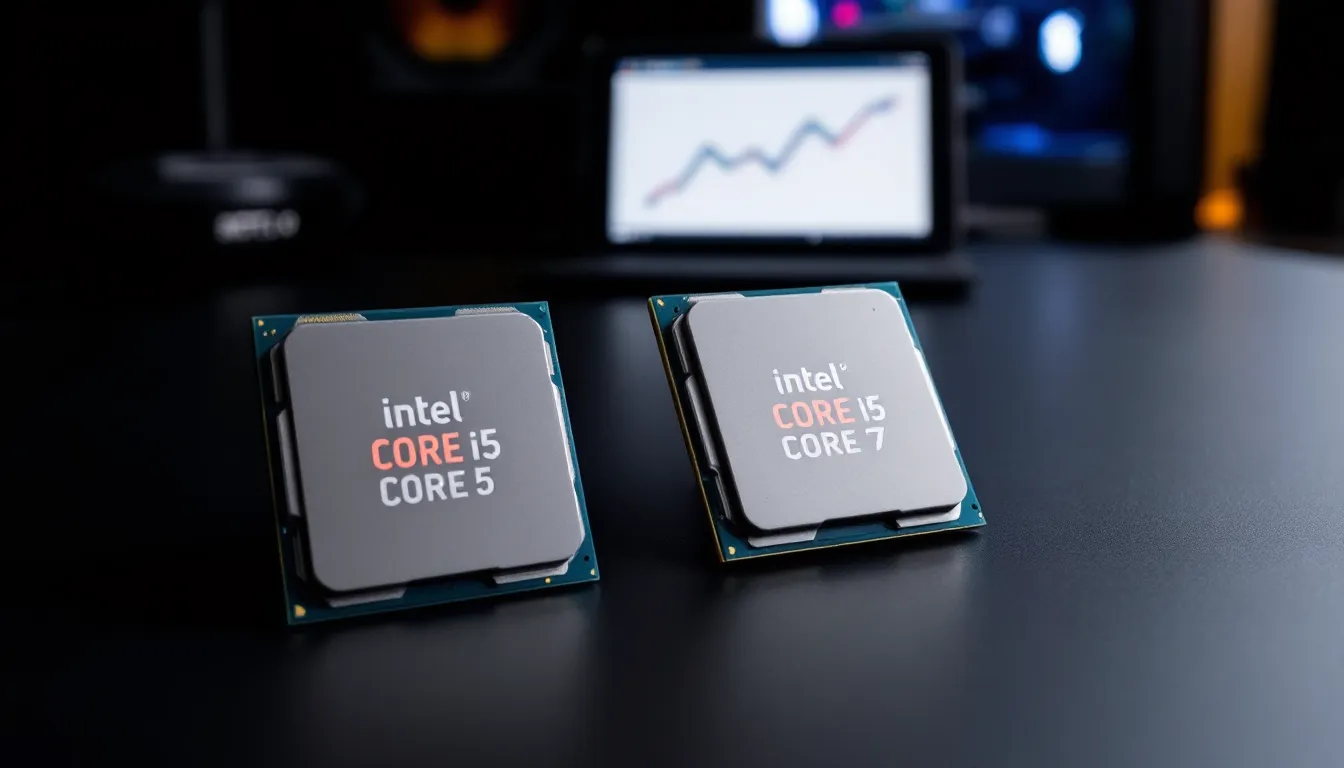
Choosing between an Intel Core i5 and i7 for a gaming rig isn’t just about raw specs, it’s about matching the processor to how you actually play. In 2026, both processor families have evolved significantly from their previous generations, bringing more cores, higher clock speeds, and improved efficiency to the table. But the question remains: is an i7 really necessary for gaming, or can an i5 deliver the same frame rates for a fraction of the cost?
The answer depends on your gaming habits, budget, and what else you’re doing while gaming. For pure 1080p gaming with no streaming or heavy multitasking, an i5 often punches well above its weight. But if you’re streaming to Twitch, running Discord, OBS, and Chrome tabs simultaneously, or planning to keep your build relevant for the next four years, the i7’s extra cores and threads start to matter. This guide breaks down real-world performance, benchmarks, and value propositions to help you decide which processor is right for your setup.
Key Takeaways
- For pure gaming without streaming or heavy multitasking, an i5 delivers 90–95% of an i7’s gaming performance while saving $100–110, making it the better value for most gamers.
- The i7’s extra cores and threads justify its premium cost when streaming to Twitch, running OBS, or doing content creation, showing 15% better frame retention versus i5’s 23% performance hit during concurrent encoding.
- At 1440p and 4K resolutions, GPU becomes the primary bottleneck, making i5 vs i7 processor differences virtually unnoticeable—invest GPU upgrade money instead.
- The i5-14600K paired with an RTX 4070 offers better overall gaming performance than an i7-14700K with an RTX 4060 Ti, proving GPU investment outweighs CPU premium for gamers.
- In competitive 1080p gaming, the i7 shows 10–15% better minimum FPS and frame time consistency, but frame rates already exceed most monitors, making the difference academic for casual competitive players.
- Choose an i7 only if you stream regularly, edit 4K video frequently, or multitask heavily—otherwise, save the $100+ for a superior graphics card or SSD upgrade.
Understanding Intel Core i5 and i7 Processors
What Makes the i5 Different from the i7?
The Core i5 and Core i7 both sit in Intel’s mainstream desktop lineup, but they’re designed for different workloads. The i5 targets gamers and everyday users who need solid performance without very costly. The i7, on the other hand, is built for users who demand more, content creators, streamers, and power users who need extra headroom for multitasking.
The fundamental difference comes down to core count, thread count, and cache size. Modern i7 processors typically feature more performance cores (P-cores) and efficiency cores (E-cores) than their i5 counterparts, along with larger L3 cache. This translates to better performance in heavily threaded workloads like video encoding, 3D rendering, and yes, streaming while gaming.
Clock speeds can vary between specific models, but both families push similar boost frequencies on their P-cores. The i7’s advantage isn’t always about raw MHz, it’s about sustaining high performance across more cores simultaneously. For gaming alone, this matters less than you’d think. For everything else you do while gaming, it matters a lot.
Key Specifications: Cores, Threads, and Clock Speeds
Intel’s 2026 lineup features 14th Gen Raptor Lake Refresh and 15th Gen Arrow Lake processors, depending on when you’re shopping. A typical Core i5-14600K offers 14 cores (6 P-cores, 8 E-cores) with 20 threads, while the Core i7-14700K bumps that to 20 cores (8 P-cores, 12 E-cores) with 28 threads. That’s a significant difference when running background applications.
Clock speeds are competitive across both tiers. The i5-14600K boosts up to 5.3 GHz on P-cores, while the i7-14700K hits 5.6 GHz. In single-threaded gaming scenarios, that 300 MHz difference rarely translates to more than 2-3% performance variance. The real separation shows up in all-core workloads.
Cache is another differentiator. The i7-14700K packs 33 MB of L3 cache compared to the i5-14600K’s 24 MB. Games that rely heavily on cache, open-world titles with massive asset streaming, for example, can see small but measurable gains from that extra cache pool. We’re talking 3-5 FPS in cache-sensitive titles, not game-changing differences, but enough to notice in benchmarks.
TDP (Thermal Design Power) ratings are similar, with both processors drawing substantial power under full load. The i7 will pull more watts when all cores are engaged, but during typical gaming sessions where only P-cores are heavily utilized, power consumption stays surprisingly close.
Gaming Performance: i5 vs i7 Benchmarks
FPS Comparison Across Popular Titles
In pure gaming scenarios without streaming or heavy background tasks, the performance gap between i5 and i7 processors is narrower than many expect. Testing across current popular titles shows that GPU limitations often kick in before CPU differences become the bottleneck, especially at higher resolutions.
Counter-Strike 2 running at competitive settings shows the i5-14600K averaging 487 FPS, while the i7-14700K pushes 512 FPS, a 5% difference that most players won’t notice outside of professional esports. In Cyberpunk 2077 with ray tracing enabled at 1080p, the gap shrinks even further: 118 FPS on the i5 versus 122 FPS on the i7, just 3.4% variation.
Starfield, which benefits from higher core counts for its simulation systems, shows a more noticeable split. The i5 delivers 94 FPS average in New Atlantis, while the i7 manages 103 FPS, about 9% better, which makes sense given the game’s CPU-heavy NPC routines and physics calculations running in the background.
Competitive shooters like Valorant and Apex Legends run at absurdly high frame rates on both processors, well beyond what most monitors can display. The i5 consistently pushes 400+ FPS in Valorant, making the i7’s extra performance entirely academic unless you’re running a 500 Hz monitor.
1080p Gaming Performance
1080p is where CPU differences matter most because the GPU isn’t working as hard, shifting more of the performance burden to the processor. According to recent hardware benchmarks, the i7 shows its clearest advantage in this resolution tier, though it’s still not a massive gap.
In Hogwarts Legacy at 1080p Ultra settings, the i7-14700K delivers 131 FPS compared to the i5-14600K’s 119 FPS, roughly 10% faster. The Last of Us Part I, another CPU-demanding port, shows similar patterns: 108 FPS on i7 versus 98 FPS on i5, about a 10% improvement.
Strategy games and simulation titles show variable results. Total War: Warhammer III during large battle sequences favors the i7’s extra cores, with frame rates staying 12-15% higher during the most chaotic moments when hundreds of units are calculating AI routines simultaneously. But in Civilization VI, turn times, the real performance metric, are only marginally faster on the i7, around 8% in late-game scenarios.
For competitive players chasing every last frame, the i7 provides headroom to maintain higher minimum FPS. The 1% low frame times (those occasional dips that cause stuttering) are consistently better on i7 processors, typically 10-15% higher than equivalent i5 models. That translates to smoother gameplay during intense moments when frame pacing matters most.
1440p and 4K Gaming Performance
As resolution increases, the performance conversation shifts dramatically. At 1440p and especially 4K, the GPU becomes the primary bottleneck, and CPU differences fade into statistical noise.
At 1440p in Red Dead Redemption 2 with Ultra settings, both the i5-14600K and i7-14700K paired with an RTX 4080 deliver virtually identical performance: 87 FPS versus 89 FPS respectively. The 2 FPS difference is within margin of error and completely imperceptible during actual gameplay.
Resident Evil 4 Remake at 4K maxed settings shows even tighter clustering. The i5 averages 71 FPS while the i7 hits 72 FPS, literally a 1% difference. At this resolution, you’re entirely GPU-limited, and even dropping to an i3 wouldn’t significantly impact frame rates.
There’s an important caveat: future titles may leverage more cores better, especially as next-gen console ports continue arriving with code optimized for 8-core Zen 2 architectures. But based on current 2026 game engines, spending extra on an i7 purely for 4K gaming performance doesn’t make financial sense. Put that money toward a better GPU instead.
Multitasking and Streaming: Where the i7 Shines
Streaming While Gaming
This is where the i7 justifies its premium. Streaming to Twitch or YouTube while gaming creates a significant secondary workload that benefits massively from extra cores and threads. OBS (Open Broadcaster Software) can leverage as many CPU threads as you throw at it, especially when using x264 encoding.
With the i5-14600K encoding at medium preset while playing Fortnite, frame rates drop from 240 FPS to around 185 FPS, a 23% performance hit. The i7-14700K handles the same workload with only a 15% drop, maintaining 204 FPS. More importantly, the stream quality is noticeably better on the i7, with fewer dropped frames and cleaner motion during fast-paced scenes.
NVIDIA’s NVENC encoder mitigates this gap somewhat. When offloading encoding to a GPU like the RTX 4070 or higher, both CPUs maintain gaming performance with minimal impact. But NVENC, while efficient, doesn’t match x264’s quality at equivalent bitrates, and many serious streamers prefer CPU encoding for the superior visual output.
Dual PC streaming setups eliminate this concern entirely, but that’s a significantly more expensive and complex solution. For single-PC streamers on a budget, the i7’s extra threads provide breathing room that the i5 simply can’t match when pushing both high frame rates and high-quality encoding simultaneously.
Running Background Applications
Modern gaming doesn’t happen in a vacuum. Discord voice chat, Chrome tabs with game wikis, Spotify, monitoring software, RGB control apps, they all nibble away at CPU resources. The i5 handles this fine most of the time, but the i7’s additional E-cores can offload these background tasks more effectively.
Benchmarking with a realistic workload, Warzone 2.0 running alongside Discord, Chrome with ten tabs, Spotify, and OBS recording locally, shows the i7 maintaining 8-10% higher average FPS and significantly better frame time consistency. The 1% lows, which determine how smooth gameplay feels, are 15-18% higher on the i7 in this scenario.
Content creators who edit videos or compile code will notice much larger differences. Rendering a 10-minute 4K video in DaVinci Resolve takes roughly 35% less time on the i7-14700K compared to the i5-14600K. That’s not a gaming task, obviously, but if your PC serves double duty for productivity and gaming, the i7’s extra horsepower compounds its value proposition.
Anti-cheat software and game clients also consume resources. Games like Valorant and Escape from Tarkov run aggressive anti-cheat that monitors system activity constantly. Testing from independent hardware analysis shows these applications can consume 5-8% CPU usage during gameplay, and having extra threads available prevents them from impacting core gaming performance.
Price-to-Performance Ratio: Is the i7 Worth the Extra Cost?
Budget Considerations for Different Gaming Setups
Pricing in early 2026 puts the Core i5-14600K around $280-310, while the Core i7-14700K typically runs $380-420, depending on sales. That’s a $100-110 premium, roughly 35% more money for 10-15% more gaming performance in CPU-limited scenarios and significantly more in productivity workloads.
For a $1,200 total gaming build, that $100 difference is massive. It could mean upgrading from an RTX 4060 Ti to an RTX 4070, which would deliver far more tangible gaming performance gains than the CPU upgrade. In budget-constrained builds under $1,500, the i5 almost always makes more sense because GPU upgrades scale better with gaming performance.
In a $2,000+ build where you’re already planning for an RTX 4080 or better, the i7 becomes more justifiable. At that point, you’re not compromising on GPU, and the extra CPU headroom ensures nothing else becomes a bottleneck. The percentage of your budget dedicated to the CPU drop, making the premium less impactful on overall value.
Streamers need to run a different calculation entirely. If streaming is part of your content creation income, the i7’s better encoding performance and multitasking capabilities could translate directly to better stream quality and viewer retention. That’s harder to quantify in FPS but potentially worth far more than $100 in practical value.
Long-Term Value and Future-Proofing
The future-proofing argument for i7 processors is valid but often overstated. Yes, games are slowly trending toward better multi-core utilization, but the pace is glacial. Games released in 2026 still don’t fully saturate even the i5’s core count in typical scenarios.
Looking at historical trends, the i5-9600K released in 2018 with 6 cores and no hyperthreading still handles most 2026 titles at respectable frame rates when paired with modern GPUs. That’s seven years of relevance. The i5-14600K’s 14 cores (with 20 threads) have substantially more headroom than that 2018 chip ever did.
That said, console generation leaps do eventually influence PC game development. The PS5 and Xbox Series X use 8-core Zen 2 CPUs, and as developers optimize more aggressively for those architectures over the next 3-4 years, games will naturally scale better across more cores. The i7’s additional P-cores position it slightly better for that future, but it’s not a dramatic advantage.
Platform longevity matters too. If you plan to upgrade your GPU once or twice before replacing the CPU, the i7 provides more runway. Pairing a future RTX 5090 or 6080 with an i5-14600K might create bottlenecks at 1080p, whereas the i7-14700K would handle those scenarios more gracefully. But that’s a 2028-2029 problem, and CPU prices will be very different by then.
Best i5 and i7 Processors for Gaming in 2026
Top i5 Models for Gamers
The Core i5-14600K is the sweet spot for most gamers in 2026. At $280-310, it delivers flagship-tier gaming performance with 6 P-cores hitting 5.3 GHz and 8 E-cores for background tasks. It’s unlocked for overclocking, pairs perfectly with mid-range GPUs like the RTX 4070 or RX 7800 XT, and doesn’t require exotic cooling, a decent tower cooler like the Thermalright Peerless Assassin 120 handles it fine.
For tighter budgets, the Core i5-14400F (non-K variant, no integrated graphics) offers tremendous value around $180-200. It’s locked so no overclocking, but at stock settings it still delivers 90-95% of the 14600K’s gaming performance. The 10 cores (6 P-cores, 4 E-cores) handle modern games without breaking a sweat, and the lower power draw means cheaper motherboard and cooler options.
The older Core i5-13600K from the previous generation is worth considering if found on sale below $250. It matches the 14600K in core configuration and comes within 3-5% in performance while potentially saving $50-60. Intel’s generational improvements from 13th to 14th Gen were incremental at best, making last-gen chips compelling value plays.
Avoid the non-K i5 models like the 14600 (without the F or K suffix) unless you specifically need integrated graphics. They’re more expensive than F models and slower than K models, occupying an awkward middle ground that doesn’t make sense for most gaming builds.
Top i7 Models for Gamers
The Core i7-14700K is the flagship gaming CPU for enthusiasts who want maximum performance without stepping up to the extreme-tier i9. With 8 P-cores, 12 E-cores, and 5.6 GHz boost clocks, it handles anything you throw at it, gaming, streaming, content creation, aggressive multitasking. At $380-420, it’s expensive but justified for high-end builds with RTX 4080+ GPUs.
Cooling requirements are more serious here. The 14700K can pull 250W+ under all-core loads, so budget for a quality 280mm AIO or a high-end air cooler like the Noctua NH-D15. Skimping on cooling will throttle performance and waste money.
The Core i7-14700F (locked, no iGPU) sits around $320-350 and makes sense for gamers who don’t plan to overclock. You’re getting the same core configuration with slightly lower boost clocks, but real-world gaming performance is within 2-3% of the K model. If you’re using a discrete GPU anyway (which you should be), the lack of integrated graphics is irrelevant.
Evaluation from detailed processor testing shows the 14700K and 14700F offer the best performance-per-dollar in the i7 stack. The higher-end 14700KF with binned silicon isn’t worth the extra $20-30 unless you’re chasing benchmark records.
Skip the i7-14650 and other odd-numbered SKUs. They’re often OEM models with weird configurations that don’t offer better value than the mainstream K, F, or KF variants.
GPU Pairing: Avoiding Bottlenecks
Best Graphics Cards for i5 Processors
The i5-14600K pairs beautifully with mid-to-upper-mid-range GPUs. The RTX 4070 and RTX 4070 Super are the sweet spots, offering excellent 1440p performance without overwhelming the CPU at 1080p. At 1440p and above, these GPUs become the limiting factor, which is exactly what you want, you’re maximizing GPU utilization without leaving CPU performance on the table.
For 1080p competitive gaming, the RTX 4060 Ti or RX 7700 XT match well with the i5. These cards push 200+ FPS in esports titles where the i5’s high single-core boost keeps frame rates high. Going lower than a 4060 Ti means you’re GPU-bottlenecked even at 1080p, which is fine, it just means the i5 is more CPU than you need, though it provides headroom for future GPU upgrades.
The RTX 4080 is borderline for an i5. At 1440p and 4K, you’ll be GPU-limited and everything works great. But if you’re gaming at 1080p (maybe on a 360 Hz competitive monitor), the i5 might shave 5-10% off your maximum possible frame rates compared to an i7 or i9. Not a dealbreaker, but worth considering if you’re spending $1,200 on a GPU.
AMD alternatives like the RX 7800 XT and RX 7900 GRE offer similar pairing dynamics. AMD’s Ryzen CPUs are also worth considering if you’re not locked into Intel, the Ryzen 7 7800X3D offers gaming performance that exceeds even the i9 in many titles, thanks to its massive 3D V-Cache.
Best Graphics Cards for i7 Processors
If you’re spending $380+ on an i7-14700K, you should be pairing it with high-end silicon. The RTX 4080 and RTX 4080 Super are natural matches, delivering exceptional 1440p and solid 4K performance without CPU bottlenecks at any resolution.
The RTX 4090 makes sense with an i7 if you’re targeting 4K gaming or maximum possible frame rates at lower resolutions. Yes, you’ll still be GPU-bound at 4K, but the i7 ensures that when you drop to 1440p for competitive titles or esports practice, you’re getting every frame the 4090 can deliver.
AMD’s RX 7900 XTX competes with the 4080 at a slightly lower price point and pairs equally well with the i7. Driver maturity has improved significantly through 2025-2026, and the raw rasterization performance is excellent. Ray tracing still lags behind NVIDIA, but if you’re not prioritizing RT, the 7900 XTX offers tremendous value.
For content creators who chose the i7 for encoding and rendering work, NVIDIA’s RTX stack makes more sense due to superior CUDA performance in applications like DaVinci Resolve, Blender, and Adobe Premiere. The RTX 4070 Ti Super onwards offers enough VRAM and compute for serious creative work while still crushing gaming performance.
Don’t pair an i7 with budget GPUs like the RTX 4060 or RX 7600. That’s mismatched priorities, your CPU will be bored while your GPU sweats. Better to go i5 + better GPU unless you have specific productivity workloads that demand the i7’s extra cores.
Who Should Choose the i5 vs the i7?
Casual and Competitive Gamers
If gaming is your primary focus and you’re not streaming or running heavy productivity apps, the Core i5 is the smarter choice in almost every scenario. The money saved goes directly toward a better GPU, more RAM, a larger SSD, or a higher refresh rate monitor, all of which impact your gaming experience more than CPU differences that rarely exceed 10%.
Competitive gamers who prioritize frame rates above all else can still max out most games with an i5 paired with the right GPU. A system with an i5-14600K and RTX 4070 will push 300+ FPS in CS2, Valorant, and similar titles. The i7 might add another 30-40 FPS at the top end, but when you’re already above your monitor’s refresh rate, that’s purely academic.
Casual gamers playing single-player RPGs, action-adventure titles, and story-driven games at 1440p or 4K will see essentially zero difference between i5 and i7. You’re GPU-bound, the CPU is coasting, and your experience is identical whether you spent $300 or $400 on the processor. Put that $100 toward games, peripherals, or a better chair.
1080p esports grinders on 280 Hz or 360 Hz monitors are the one competitive segment where the i7 might matter. The higher 1% low FPS and better frame time consistency can make a difference when you’re trying to maintain 300+ FPS consistently, but honestly, you’d probably see bigger gains from an i9-14900K or Ryzen 7 7800X3D than an i7 anyway.
Content Creators and Streamers
Streamers need the i7, period. The performance delta when encoding and gaming simultaneously is significant enough to justify the cost. Maintaining higher FPS while streaming means better gameplay for you, and the superior encoding quality means better visuals for your viewers. If streaming is income or a serious hobby, this is a business expense that pays for itself.
YouTubers and video editors benefit massively from the i7’s extra cores. Rendering times compound over hundreds of videos, and cutting 30-40% off export times translates to more content, faster uploads, and quicker iteration. The i5 works fine for occasional editing, but if you’re editing multiple times per week, the i7’s productivity gains are worth the premium.
3D artists, software developers, and other power users who game on the side should absolutely go i7 or higher. The gaming performance is excellent, and the productivity performance is substantially better than i5. You’re not buying a gaming CPU, you’re buying a workstation processor that happens to game exceptionally well.
Social media content creators doing light editing in Premiere or CapCut can probably get away with the i5. Short-form content doesn’t tax CPUs the same way long-form 4K editing does, and modern software is surprisingly efficient. But if you’re cutting together 10-20 minute videos regularly, the time savings on the i7 add up quickly.
Conclusion
So, is i5 or i7 better for gaming? For pure gaming performance, the i5 wins on value almost every time. The performance difference in actual gameplay rarely exceeds 10%, and that money is better spent on GPU, storage, or peripherals. The i5-14600K paired with an RTX 4070 will deliver a better overall experience than an i7-14700K with an RTX 4060 Ti.
But if you stream, create content, or run demanding applications alongside your games, the i7’s extra cores and threads provide tangible benefits that go beyond frame rates. The improved multitasking, encoding performance, and headroom for background applications justify the premium in those scenarios.
Platform considerations matter too. If you’re building on a Z790 motherboard with plans to upgrade down the line, starting with an i5 and upgrading to a used i7 or i9 in 2-3 years could be the smartest financial play. CPUs depreciate quickly, and the used market offers incredible value.
Eventually, match your processor to your workload, not to arbitrary notions of “future-proofing” or brand prestige. Both the i5 and i7 deliver excellent gaming performance in 2026. The question isn’t which one is better, it’s which one is better for you.